
- NewspaperAutoptimize Plugin – install and configuration
- NewspaperCache plugin – install and configure
- NewsmagInstall via WordPress
- NewsmagInstall via FTP
- NewsmagInstalling pre-built websites
- TutorialsHow to install Revolution Slider
- NewspaperInstalling Pre-built Websites
- NewspaperHow to Install Newspaper via FTP
- NewspaperHow to Install Newspaper via WordPress
- TutorialsHow to Install bbPress forum
- NewspaperIntroduction to CPT and ACF with Newspaper Theme
- NewspaperHow to edit modules for Flex Block X
- NewspaperWooCommerce: Happy “Add to Favorites!”
- NewspaperWoo Brands
- NewspaperStripe Setup
- NewspaperModal Popup
- NewspaperPayPal Setup
- NewspaperFlex Block Settings Guide
- NewspaperHow to setup the Contact Page
- NewspaperAdd Cryptocurrency Price Ticker Widget
 Raj Kumari
 how to reinstall the theme?
 Anamaria
 Hi,
Please reinstall the theme again and check after.
Thank you!
 Calin
Calin Hi,
The most simple way will be to use a plugin like autoptimze and use the option to remove the html comments from the website – https://i.imgur.com/xSjwNoz.png
Thank you!
Anamaria Hi,
Please check if you have the mobile theme plugin enabled.
Using our theme, you can choose from 3 mobile versions
-> mobile responsive => https://www.screencast.com/t/oJ2ShOp47
-> mobile theme plugin => https://forum.tagdiv.com/the-mobile-theme/
-> mobile page => https://tagdiv.com/newspaper-10-3-7-update-brings-customizable-and-fast-mobile-pages/ The option that you need to use.
Suppose you created the mobile pages with tagDiv Composer. In that case, when you install the Mobile Theme plugin, your pages will be overwritten by the plugin (the mobile theme comes with its templates for page, post, category, etc, so your current templates from the desktop theme will get converted to the mobile theme layout, the page content is made without builders in mobile editor => https://www.screencast.com/t/xbgZG8kH also, the options that are provided to edit the mobile theme version are limited (this keeps the things simple)).
This is a video about Responsive Newspaper Theme, AMP & Mobile Theme, Mobile Pages & Templates -> https://www.youtube.com/watch?v=SpGkOnJeNZY.
So, the mobile responsive is what you see when that you select the viewport on phone => https://www.screencast.com/t/matV17hH, so some settings may apply for each viewport(where is the border blue), and others are not(where the border is black).
The mobile page has the mobile templates from Cloud Library => https://www.screencast.com/t/YCcZ8rL8
The Mobile responsive version of the theme and the mobile page editor can be edit with tagDiv Composer, the mobile theme plugin cannot.
For example, you can have the mobile theme plugin activated and use the mobile page/mobile responsive version for the homepage/pages, but for the categories pages/404 page, you can’t use the mobile page/mobile responsive version if you have the mobile theme plugin activated.
So, if you want to design the pages with tagDiv Composer, you can use the mobile page or mobile responsive version.
Also, please check this topic https://forum.tagdiv.com/topic/amp-pages-not-working-well-with-this-theme/
Thank you!
Raj Kumari ok, The following themes are installed but incomplete showing this error on theme. Please see the screenshot
Raj Kumari ok, The following themes are installed but incomplete showing this error on theme. Please see the screenshot
 marcf2009
I have an issue when changing Blog post templates in the Theme Panel as well as on the Edit Blog Artikle Page.
Ican only use “Single Post Template Personal Trainer”. I dont even know where that Template came from, i did not dowload it from the cloud. When i change the template, i get the following error:
Warning: Array to string conversion in td_util.php on line 1711
Line1711: ” $extra_google_fonts_ids = array_unique( array_merge( $extra_google_fonts_ids, $google_fonts_ids ) );”
Warning: Array to string conversion in td_wp_booster_functions.php on line 675
Line 675: ” $unique_google_fonts_ids = array_unique( array_merge( $unique_google_fonts_ids, $extra_google_fonts_ids ) );”
Since it has something to do with google fonts, i disabled all Plugins. I also disabled local google fonts. Then i uninstalled TagDiv Composer und reinstalled it again.
Same error. PHP Version is 8.1.27
 GoLearnHealth
Hello,
When I create column text in the Newspaper theme and want to edit it, it never opens. It keeps me waiting all the time.
You can watch the video about this from the link below:
https://drive.google.com/file/d/1GxriPo2lSL0gEw6p7vW_zduqXTz7CHFz/view?usp=sharing
I tried turning off all plugins, but the problem was still there. Both the theme itself is installed and Child Theme is installed. Child Theme is active.
I want only the Newspaper 12 theme installed, not the Child Theme.
Please request your guidance on this issue.
Thank you!
Anamaria Hi,
Please check this guide https://elements.envato.com/learn/install-themeforest-wordpress-theme
Thank you!
 ChildhoodBiz
Hi there,
after yeras of using TagDiv I want to change to Elementor. After I deactivated the plugins:
– tagDiv Cloud Library
– tagDiv Composer
– tagDiv Social Counter
– tagDiv Standard Pack
I still see a “Newspaper” menu item on the left admin bar?!
Where does his come form, how can I make sure that no “TagDiv Newspaper” is running anymore? And is there a good way to delete database data that is form tagdiv left in the database?
Kind regards, Martin
 Bettina
 Hello!
We have 3 options available for mobile versions that you can use:
1. Responsive version: A responsive version of your website looks similar to the desktop version. TagDiv Composer is used to edit the page.Click on the mobile viewport: https://www.screencast.com/t/XDQJedlggSB. There, you can see your mobile version and edit or adjust the elements to look better.
2. Mobile pages: https://tagdiv.com/newspaper-10-3-7-update-brings-customizable-and-fast-mobile-pages
3. Mobile theme plugin: The Mobile Theme is a performance-optimized theme included in the main Newspaper theme that only loads on mobile devices. It comes with its own templates and designs for pages, posts, categories, etc., so your current templates from the desktop theme will get converted to the mobile theme layout. Please see https://forum.tagdiv.com/the-mobile-theme/ and https://forum.tagdiv.com/mobile-theme-introduction/ for more information.
A full explanation is here: https://www.youtube.com/watch?v=SpGkOnJeNZY
If you need to use mobile version 1 or 2, then you need to uninstall the Mobile Theme plugin and AMP.
You can use it on any version you like the most because you will add the content in Gutenberg.
Thank you!
Anamaria Hello,
Please delete the tagdiv Composer and tagdiv Cloud Library, and reinstall them from Newspaper-> plugins.
Thank you!
 frankiefop
1. I just realised that my mobile menu is no longer showing, instead, I am seeing “Popup modal”, please how do I make the mobile menu show because it was showing before when I installed the demo (Urban Observer).
Screenshot: https://imgur.com/a/VuIvqYG
2. Post inline ads not working… If I add ad codes in the 3 inline ad spaces, there all cluster together. No option to select paragraphs where the inline ads will show. How do I fix this, please?
Screenshot: https://imgur.com/a/gK5tYyz
3. Ads in the Theme panel are not working. I have inserted all ad codes but nothing is showing up on the site. Is there a way to use the ad codes on the Theme panel?
Screenshot: https://imgur.com/a/6IbT2j9
My URL: https://converseer.com/
Best regards.
 huynhthantho
 I am using the latest version Version: 12.6.5, the random post mode still works fine, but the popular mode cannot be used. My website has been operating for several years and the popular mode still works, but how do I use it? A few months ago I noticed it was broken. I installed it as you instructed but it still doesn’t work.
 ajmanand
 we tried reinstalling wordpress and activated 3 mentioned plugins but still i am facing an issue as it gets deactivated / not able to edit the post and updates as well
as advised, installed wordfence to protect and scan all malware and vulnerabilities. kindly advise the steps to install the updated theme and try to reactivate the theme.
we work very hard in the prayer website and dont want to lose our website.
kindly help me to get this sorted out once for all
 laquisfg75
Following instruction for installation I have following error
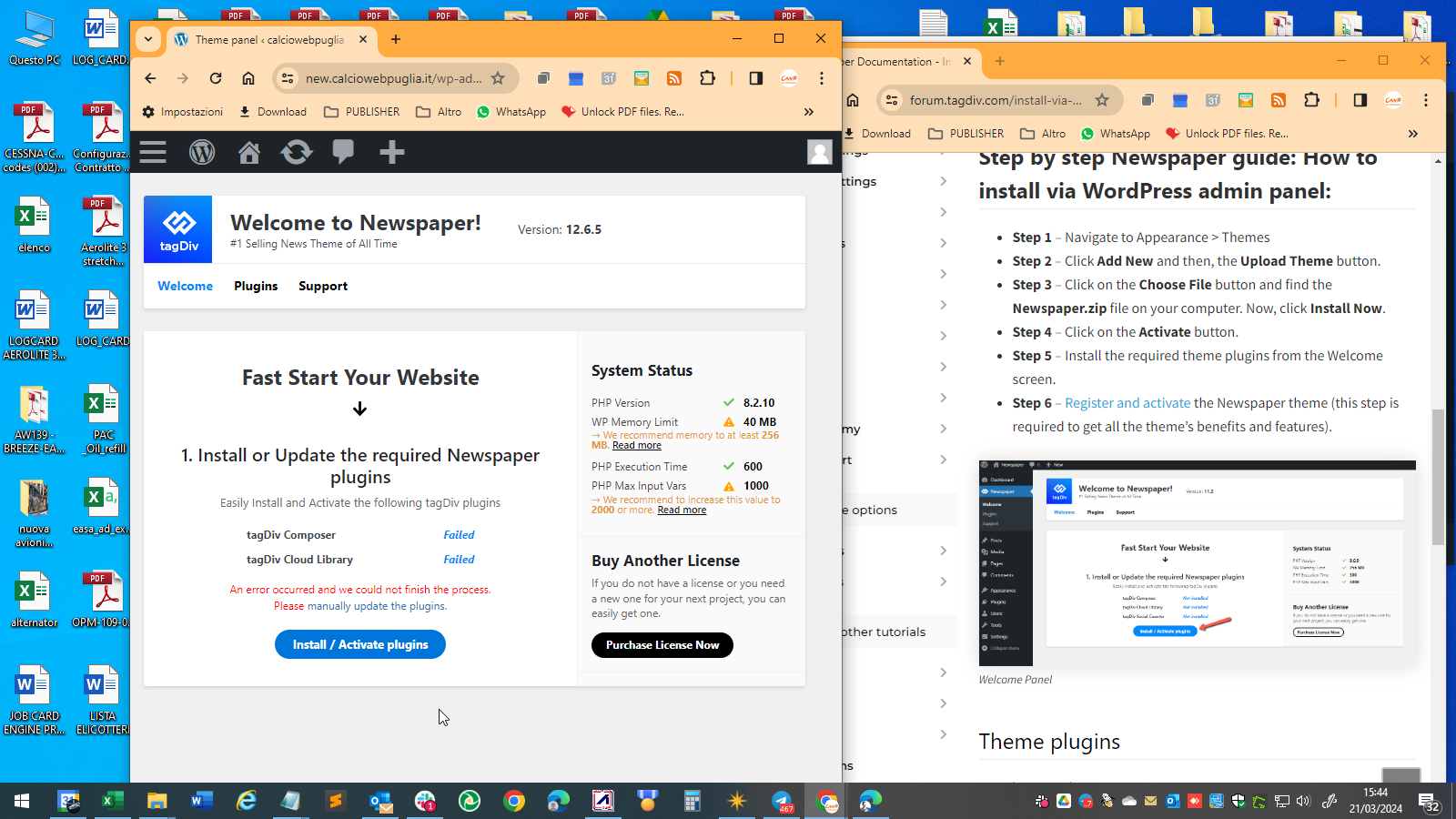
installing plugin manually the site crash.
Any suggestion?
 alpturkalp
 Hello again, our website already has an SSL, so we use it with https. Also, when I enter the relevant purchase code in the Activate Newspaper section of the wp-panel, I do not receive any errors.
The network movements after clicking the button are as follows;
Also, I can use the site now, so there was no problem with the theme installation. I was using your old version theme, now I bought the latest version and replaced it with the old one. My site is working but it only appears as UNREGISTERED in wp-panel
Payload:
td_theme_name: Newspaper
v: 12.6.5
action: td_ajax_check_envato_code
envato_code
Response:
0
-
This reply was modified 2 years by Anamaria. Reason: Please don't share your license via forum
Anamaria Hello,
Please enable this option for the single post featured image https://i.imgur.com/hKSRSOZ.png
There are many optimization guides provided by our users here in the forum, some made by us; you could check some of them
– https://www.infophilic.com/get-almost-100-pagespeed-newspaper-theme/
– https://forum.tagdiv.com/cache-plugin-install-and-configure/
– https://forum.tagdiv.com/how-to-make-the-site-faster/
– https://forum.tagdiv.com/topic/high-number-of-ajax-request/
– https://forum.tagdiv.com/topic/score-100100-pagespeed-with-newspaper-wordpress-theme/
– https://www.andraware.com/wp-rocket-for-newspaper-theme/
– https://forum.tagdiv.com/topic/page-speed-guide-for-2023-beginners-and-advanced/
– https://forum.tagdiv.com/topic/newspaper-theme-speedify-your-website/
– https://forum.tagdiv.com/topic/tutorial-chriss-custom-optimizations-for-functions-php-etc/
– https://forum.tagdiv.com/cloudflare-cdn/
– https://forum.tagdiv.com/topic/theme-causing-high-cpu-usage-2/
– https://forum.tagdiv.com/topic/sql-querys-high-cpu/
– https://forum.tagdiv.com/topic/newspaper-theme-slow-to-respond/
– https://premium.wpmudev.org/blog/optimizing-your-wordpress-database-a-complete-guide/
– https://underconstructionpage.com/optimize-wordpress-database/
– https://crunchify.com/better-optimize-wordpress-database-all-in-one-guide/
Thank you!
 heyheyhere
Hello everyone!
I’m experiencing bizarre behaviour when adding new rows (with content in them) to any page; it duplicates at the bottom of all other pages.
I have the following setup:
– Fresh WordPress installation (Siteground)
– Newspaper theme + full Interior Designer demo
– Activated child theme
What I have already tried:
– Deactivated all unrelated plugins
– Deactivated child theme
– Cleared cache
I would appreciate suggestions on what else I can try to fix this.
Thank you!
Anamaria Hi,
What I can suggest is to use the plugin code snippets, but not install it on the Network, on each site individually and add the code there.
Thank you!
Anamaria Hello,
You have the mobile theme plugin activated; please disable it.
Using our theme, you can choose from 3 mobile versions
-> mobile responsive => https://www.screencast.com/t/oJ2ShOp47
-> mobile theme plugin => https://forum.tagdiv.com/the-mobile-theme/
-> mobile page => https://tagdiv.com/newspaper-10-3-7-update-brings-customizable-and-fast-mobile-pages/ The option that you need to use.
Suppose you created the mobile pages with tagDiv Composer. In that case, when you install the Mobile Theme plugin, your pages will be overwritten by the plugin (the mobile theme comes with its templates for page, post, category, etc, so your current templates from the desktop theme will get converted to the mobile theme layout, the page content is made without builders in mobile editor => https://www.screencast.com/t/xbgZG8kH also, the options that are provided to edit the mobile theme version are limited (this keeps the things simple)).
This is a video about Responsive Newspaper Theme, AMP & Mobile Theme, Mobile Pages & Templates -> https://www.youtube.com/watch?v=SpGkOnJeNZY.
So, the mobile responsive is what you see when that you select the viewport on phone => https://www.screencast.com/t/matV17hH, so some settings may apply for each viewport(where is the border blue), and others are not(where the border is black).
The mobile page has the mobile templates from Cloud Library => https://www.screencast.com/t/YCcZ8rL8
The Mobile responsive version of the theme and the mobile page editor can be edit with tagDiv Composer, the mobile theme plugin cannot.
For example, you can have the mobile theme plugin activated and use the mobile page/mobile responsive version for the homepage/pages, but for the categories pages/404 page, you can’t use the mobile page/mobile responsive version if you have the mobile theme plugin activated.
So, if you want to design the pages with tagDiv Composer, you can use the mobile page or mobile responsive version.
Also, please check this topic https://forum.tagdiv.com/topic/amp-pages-not-working-well-with-this-theme/
Thank you!
 boss4all
Hey All,
I am getting the following error in the blog posts section of my Newspaper installation. I have checked and am running the latest version of Newspaper and all of my plugins have been updated.
Newspaper version: 12.6.5
PHP Version: 8.0.30
WP Memory Limit: 256 MB
PHP Execution Time: 300
Error message:
wp_booster error:
td_api_base::mark_used_on_page : a component with the ID: single_template_6 is not set.
/var/www/wp-content/plugins/td-composer/legacy/common/wp_booster/td_api.php
Example URL – https://auditecsolutions.com/webinar/common-billing-errors-by-facility-maintenance-providers/


More error details: When I click display backtrace
Array
(
[0] => Array
(
[file] => /var/www/wp-content/plugins/td-composer/legacy/common/wp_booster/td_api.php
[line] => 348
[function] => error
[class] => td_util
[type] => ::
[args] => Array
(
[0] => /var/www/wp-content/plugins/td-composer/legacy/common/wp_booster/td_api.php
[1] => td_api_base::mark_used_on_page : a component with the ID: single_template_6 is not set.
)
)
[1] => Array
(
[file] => /var/www/wp-content/plugins/td-composer/legacy/common/wp_booster/td_api.php
[line] => 153
[function] => mark_used_on_page
[class] => td_api_base
[type] => ::
[args] => Array
(
[0] => single_template_6
)
)
[2] => Array
(
[file] => /var/www/wp-content/plugins/td-composer/legacy/common/wp_booster/td_api.php
[line] => 1451
[function] => get_key
[class] => td_api_base
[type] => ::
[args] => Array
(
[0] => single_template_6
[1] => file
)
)
[3] => Array
(
[file] => /var/www/wp-content/plugins/td-composer/legacy/common/wp_booster/td_wp_booster_functions.php
[line] => 3206
[function] => _get_theme_template
[class] => td_api_single_template
[type] => ::
[args] => Array
(
[0] => single_template_6
[1] => /var/www/wp-content/themes/Newspaper/single.php
)
)
Anamaria Hello,
Please provide the link to your website.
I think that you have malware on the website. Please update the theme to the latest version 12.6.5.
You could consider reinstalling the WordPress version, reinstalling the theme, and checking for this plugin wp-zexit.php. It might be wise to inspect via FTP if it doesn’t appear in the WordPress -> Plugins. Additionally, using Wordfence to scan the website and remove unknown users would be prudent.
Thank you!
 FBM
FBMWe’re encountering a frustrating issue on our website. Recently, we’ve encountered an unexpected roadblock: we can’t access the editor anymore. Instead of loading properly, it throws a 403 error in the console, making it impossible for us to carry out essential tasks.
The exact error message we’re seeing is: GET https://www.xxx.de/wp-content/plugins/td-composer/includes/wpeditor.php?wp_path=/var/www/vhosts/xxx.de/httpdocs/ 403 (Forbidden)
It functioned smoothly until 1-2 days ago. We did not do any major updates or new installations.
Bettina Hello!
If you install the demo without content, then it will replace the previous design.
You can return the previous design only if you have a backup.
Thank you!


