- NewspaperAutoptimize Plugin – install and configuration
- NewspaperCache plugin – install and configure
- NewsmagInstall via WordPress
- NewsmagInstall via FTP
- NewsmagInstalling pre-built websites
- TutorialsHow to install Revolution Slider
- NewspaperInstalling Pre-built Websites
- NewspaperHow to Install Newspaper via FTP
- NewspaperHow to Install Newspaper via WordPress
- TutorialsHow to Install bbPress forum
- NewspaperIntroduction to CPT and ACF with Newspaper Theme
- NewspaperHow to edit modules for Flex Block X
- NewspaperWooCommerce: Happy “Add to Favorites!”
- NewspaperWoo Brands
- NewspaperStripe Setup
- NewspaperModal Popup
- NewspaperPayPal Setup
- NewspaperFlex Block Settings Guide
- NewspaperHow to setup the Contact Page
- NewspaperAdd Cryptocurrency Price Ticker Widget
 Anamaria
 Hello,
Please make sure your theme and plugins are updated correctly, also, you can try to reinstall the theme and plugins
-> https://forum.tagdiv.com/install-via-wordpress/
-> https://forum.tagdiv.com/install-via-ftp/
-> https://forum.tagdiv.com/newspaper-how-to-update-a-plugin/
Also, if the problem persists, please check if you don’t have a plugin conflict. if you don’t solve the issue please make a full backup to all files and the database and contact us via email at contact@tagdiv.com.
Provide:
– wp-admin URL and cPanel URL and credentials
– a link to this topic to identify you
Thank you!
 Bettina
 Hello!
Please make sure you have the Standard Pack plugin installed and active.
If you need a separate sidebar for each post, then you should have different template for each post. You can duplicate the template for every post, edit with different sidebar and assign it for the post.
Thank you!
Bettina Hello!
1. To add a new post, go to your WordPress admin dashboard area > Posts > Add New. Write your post’s title and text and when you are ready, click on Publish.
2. You can change the roles and capabilities of your users: https://wordpress.org/support/article/roles-and-capabilities/
3. Where you upload the image in Media, there is a setting with the size of the image and please select full size.
4. AMP is faster and works better only with the Mobile Theme plugin. The design is looking pretty similar as our plugin. Install AMP and Mobile Theme, then just navigate the website on your mobile phone because the design will apply automatically. For more information, you can check our documentation:
– https://forum.tagdiv.com/the-mobile-theme/
– https://forum.tagdiv.com/tagdiv-amp-plugin-tutorial/
5.You need to enable this option: Mobile+Amp – Displays content using the Mobile Theme on both mobiles and AMP by accessing Newspaper -> Theme panel -> Mobile theme.
6. In our theme we have a setting when you edit the post template with TagDiv Composer. You need to disable that setting like this: https://www.screencast.com/t/JaSHpq10Y
7. Unfortunately, this plugin is not a tested one with our theme, so I’m not sure it is responsive or not.
8. Edit the homepage with TagDiv Composer, and you can edit them. For more information about TagDiv Composer, please check our documentation here: https://forum.tagdiv.com/tagdiv-composer-tutorial/
9. I recommend you to use “column text” or “text with title” elements from TagDiv Composer and insert some texts there in the WP Editor. These elements have a button called “edit content” and if you click on that button, the WP Editor will open and you can add some texts. Write the text in WP Editor, close from X, save and you can see the changes in your homepage.
Hope that helps you!
Thank you!
Anamaria Hello,
Please do these steps:
1. disable tagDiv Composer
2. uninstall(delete) tagDiv Composer
3. clear cache (if cache plugin exists)
4. install tagdiv Composer
5. activate tagDiv Composer
6. clear cache (if cache plugin exists)
Also, please do a test using only tagDiv plugins, clear all cache (browser, server)
Thank you!
 muktipolice
Theme demo installed successfully. As you can see, on the H1 tag,
GOSSIPS • GOSSIPS •” This H1 tag was not found. Please help me clean this up. I can’t find it.
 steveseng
https://memeslah.com/music/eminem-stronger-than-i-was/ (this my promblem)
my page sidebar its look good, only my single post sidebar have promblem.
i try delete all uninstall and install back, but still problem here. can help me here?
sorry for my bad language, and i from malaysia.
Bettina Hello!
When you install Mobile Theme plugin, your pages will be overwritten by the plugin.
The Mobile Theme is a performance optimized theme included in the Newspaper main theme and it loads only for mobile devices. It comes with its own templates for page, post, category, etc so your current templates from the desktop theme will get converted to the mobile theme layout. For more details, please take a look here: https://forum.tagdiv.com/the-mobile-theme/
Please note that if a page is made by Composer, than the content won’t be displayed on Mobile theme version.
Thank you!
 Total Motorsport Admin
 Are these the correct AMP plugins I should be using?
> https://imgur.com/a/Am7oexp
> https://imgur.com/a/IAD3SiB
I have installed and activated the AMP and Mobile version on the Newspaper Integrated plugins, and on the plugin area in WordPress I also have the second picture
Bettina Hello Ana!
Yes, those are the correct steps. I recommend you to make a full backup before, make sure you have the theme and plugins also up to date, clear the cache. Activate the required plugins, make sure you followed all steps in order to have all the requirements as you can see here: https://forum.tagdiv.com/requirements-for-newspaper/
We recommend using the WP Super Cache plugin with this configuration: https://forum.tagdiv.com/cache-plugin-install-and-configure/
Thank you!
Anamaria Hello,
I saw you sent an email, please continue the discussion there.
Also, please try to make a fresh install on the staging website and see if the error appears there.
Thank you!
 Calin
Calin Hi mockaccino,
This situation appeaser because you are using an old theme version with the latest WordPress version.
As I can see there are only two options:
1 – update that theme to the latest version. -> https://forum.tagdiv.com/how-to-update-the-theme-2/ (use the method from FTP/cPanel also install from newspaper the tagDiv Standard pack.
2 – downgrade the WordPress under 5.5. -> https://increasily.com/how-to-downgrade-wordpress/
Also first you need to make a full backup for your website and database.
Thank you!
Calin Hi,
It looks that for the moment the website it is in maintenance mode https://i.imgur.com/WbU8rWm.png and it can not be accessed to see the video.
Also I understand that you have the pulse pro pre-build website installed -> https://i.imgur.com/tZmyn4c.jpg -> https://i.imgur.com/dEd3xfR.png here is a video that can help you https://www.youtube.com/watch?v=HXQQygkCCJo
Also since the pre-build website that you have it is a Pro it is full editable with tagDiv Composer -> https://forum.tagdiv.com/how-use-tagdiv-cloud-library-templates/
Thank you!
Calin Hi,
Sorry for the late answerer, for the moment we do not work in weekends!
Now about the flex blocks, the image on those are set on default, but in case that you install a pre-builder website, then the image size can be changed.
Also if you have a Pro pre-build website, this is made using tagDiv Composer and cloud templates. Also in this case the logo need to be changed using the theme builder https://www.youtube.com/watch?v=HXQQygkCCJo
Thank you!
 ernestorocco
 Hi, I need a classified plugin. Everyone I install gives me a wp booster error. Can you recommend one for me?
Anamaria Hello,
Please check this topic https://forum.tagdiv.com/topic/the-editor-has-encountered-an-unexpected-error-in-newspaper-theme/
Also, this is a guide on how can fix this issue
-> https://www.techrbun.com/wordpress-editor-unexpected-error-fix/
-> https://thomas.vanhoutte.be/miniblog/wordpress-fix-the-editor-has-encountered-an-unexpected-error/
-> https://techjourney.net/how-to-fix-the-editor-has-encountered-an-unexpected-error-in-wordpress/
Also, for cache we recommend using the WP Super Cache plugin https://forum.tagdiv.com/cache-plugin-install-and-configure/
Thank you!
Calin Hi,
We are glad that you mange the situation!
It is possible that some of the theme files to be edited or affected by extra plugins and when you restore a backup those were back to normal. Also sometimes when the theme widgets are missing it can be because one of the theme plugin is not installed.
In case that you have other questions, please let us know!
Have a nice week!
 dfh
dfhHi,
I’ve just installed the Newspaper Pro pre-built website, and I am looking for ways to change the menu background (in green in my screenshot) as well as the icons next to each menu item (in red). In both cases, I can’t seem to find a way to do it with the tagDiv Composer.
screenshot available here: https://imgur.com/a/Qu85q6p
For the menu background image, I’ve found no way to change it even if I’m sure it’s possible (I see the image file in my media library on WordPress).
For the menu icons, the only way I’ve found is to go to the WordPress dashboard –> Appearance –> Menus, and to change the html. For example taking <i class=”tdc-font-tdmp tdc-font-tdmp-globe”></i> Global and replacing “-globe” by “-bicycle”.
This works, but the issue is I don’t know all the prefixes for each icon.
I’m sure that there’s a better to do this for both issues I’ve encountered.
Thanks in advance for the help!
 AnaPicado
Hi to everyone, we have just purchased the newspaper theme and before activating it we want to be secure with the correct steps we must do.
Our website https://mifamiliaviajera.com has now a different theme (blossom pipdig) and we have the AMP plugin activated in transitional mode and a cache plugin S3 Total Cache.
We make a survey in the forums and we can´t find it (but we know that this item is not new, so our appologize if we duplicate a forum topic).
We suppose we must do the following steps:
1 – Deactivate and uninstall our current AMP plugin (the official from amp project)
2 – Deactivate and unistall S3 Total Cache
3 – Activate the Newspaper theme
4 – Install and activate the mobile theme and the AMP plugin (provided with the newspaper theme) as the tutorial shows
5 – Install and activate Super Cache
Are these the correct steps to do the proccess?
Thank you
Ana
 Anonymous
hi friends.
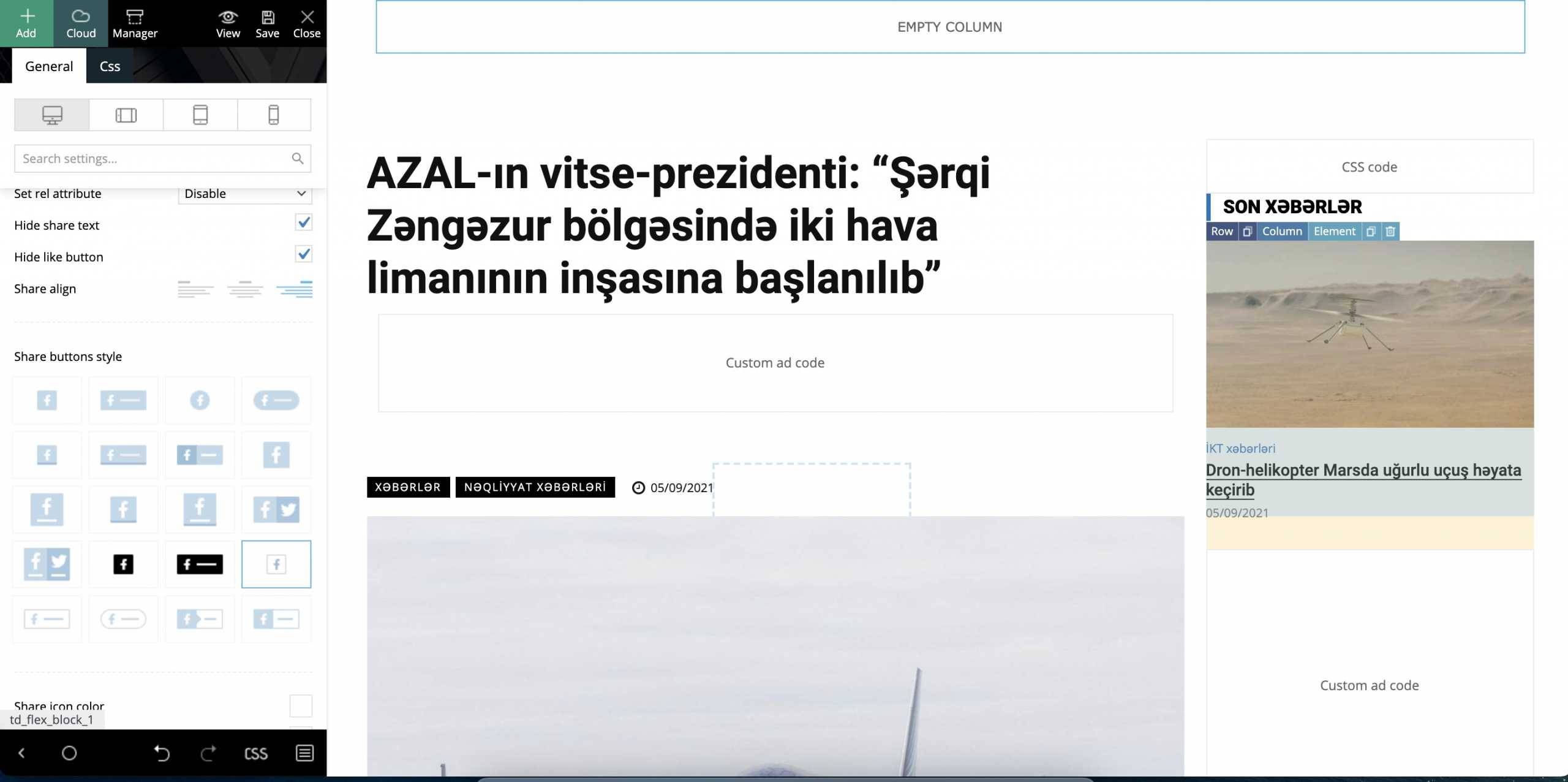
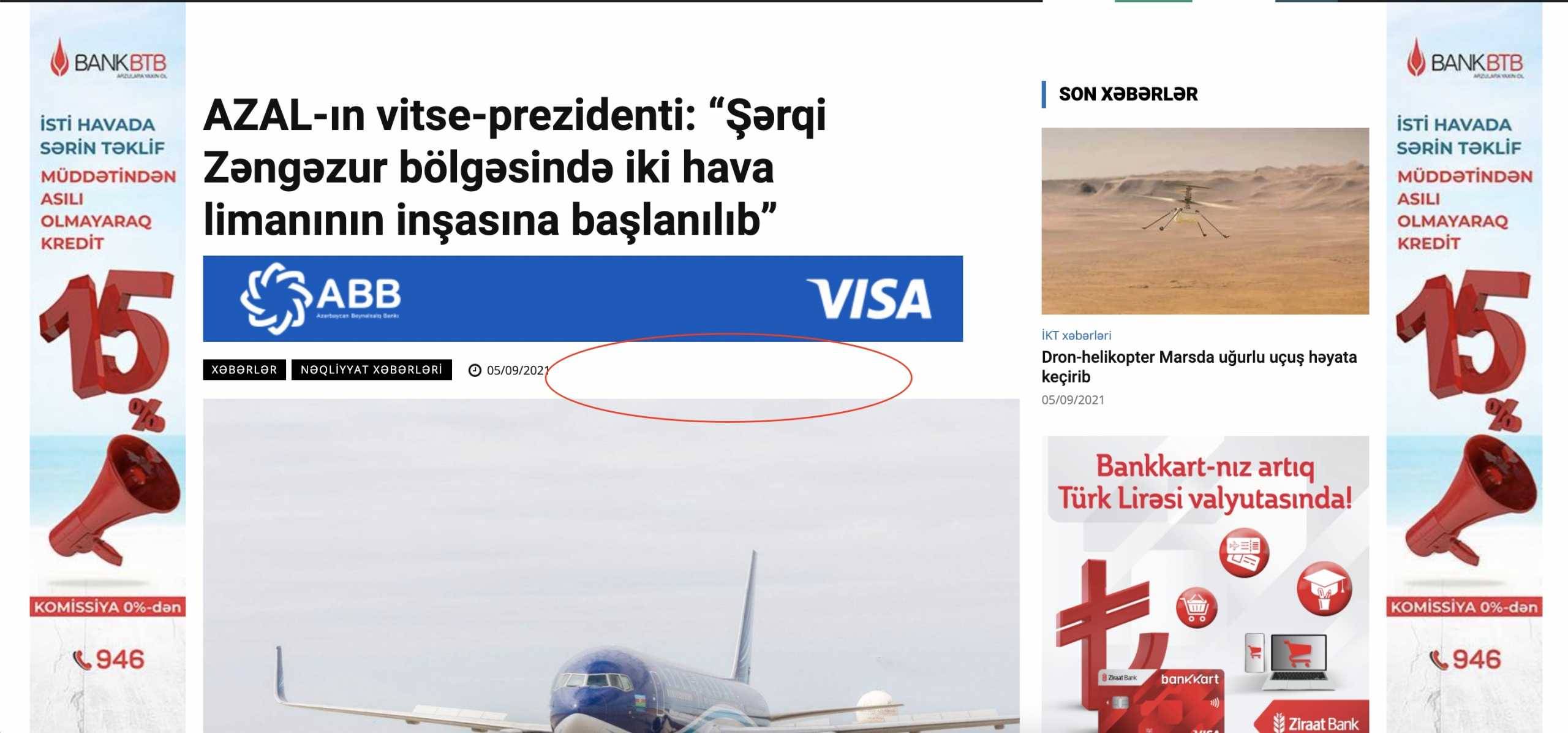
social share buttons suddenly disappered from website. when i click white space (marked below) they works, but their icons does not shown. they worked perfectly before. i don’t know why it happened. i tried uninstall tagdiv social share plugin and reinstall again, still problem not solved. pls advice.
https://banker.az/wp-content/uploads/2021/09/Screen-Shot-2021-09-05-at-18.32.07-scaled.jpg
https://banker.az/wp-content/uploads/2021/09/Screen-Shot-2021-09-05-at-18.33.06-scaled.jpg
 Rigsbyx
I want to have my own Twitter-style feed underneath each post. Do you have any recommendations how I can do that which will integrate with Newspaper? I don’t mean adding icons for sharing, I am referring to users having conversations (as WP can already do), but for people to also have their own profile page so they can post whatever they want on their own page (they already have access to a profile page, but it’s extremely limited).
People can then interact with one another just like Twitter. It’s a news website, and my audience is going to be geared towards that kind of user, so if I can find a plugin it would be amazing because then they will return on a regular basis.
I have installed BuddyPress, but it doesn’t do what I want.
Thanks : )
 denya
denyaHi. You can tell why the ad is changing the template.
Advertising from Yandex.
After installing the ad unit.
The width of the content changes.
The ad block itself takes up the required space, and after the block, the row changes.
Here is this page. https://nevessta.ru/svadebnye-specialisty/ (mobile version)
All this happens in the mobile version.
 bswn
bswnI want to use this theme in another domain, I have uninstalled, the theme and tried to add in another but it is not working.
 enigmatictech
Hi,
I followed the troubleshooting steps for the Facebook counter here: https://forum.tagdiv.com/topic/facebook-social-counter-not-updating-2/ but the counter continues to show 0. The theme panel social networks page shows the page with the correct number of likes. The Facebook link field is correctly filled. The social counter and composer plugins have been reinstalled. What else can I try?
Newspaper v 11.2
Site: https://www.wranglernews.com
Thanks!
 mockaccino
 Hi, my website is working ok. I’m only getting this message in the cloud library and I cant install cloud libraries or edit exiting templates. This doesn’t seem to be the same issue as per link. Are there any other suggestions?
 digitalaimmedia
 I’ve already did a fresh install