- NewspaperAutoptimize Plugin – install and configuration
- NewspaperCache plugin – install and configure
- NewspaperInstalling Pre-built Websites
- NewspaperHow to Install Newspaper via FTP
- NewspaperHow to Install Newspaper via WordPress
- NewspaperIntroduction to CPT and ACF with Newspaper Theme
- NewspaperHow to edit modules for Flex Block X
- NewspaperWooCommerce: Happy “Add to Favorites!”
- NewspaperWoo Brands
- NewspaperStripe Setup
- NewspaperModal Popup
- NewspaperPayPal Setup
- NewspaperFlex Block Settings Guide
- NewspaperHow to setup the Contact Page
- NewspaperAdd Cryptocurrency Price Ticker Widget
- NewspaperInfinite Loading for Single Posts
- NewspaperThe Newspaper Mobile Theme: Introduction
- NewspapertagDiv Social Counter plugin
- NewspapertagDiv Shop
- NewspapertagDiv Opt-In Builder
 Anamaria
 Hello,
I just tested on my install, and for me, the image style from Gutenberg works well => https://www.screencast.com/t/jEmoApvrb
Please make sure that all the settings are like in our requirements, please follow the guide carefully
– https://forum.tagdiv.com/requirements-for-newspaper/
and please increase all requirements that are lower, and follow all steps.
Make sure that you do not have a plugin conflict, please deactivate ALL plugins except tagDiv plugins, also if you are using a child theme or cache plugin, deactivate them, clear all cache and try again.
If this is not what you mean, please provide more information as screenshots and a link to your website.
Thank you!
 angiseserman
Hi.
I am working on the following page and all of a sudden the main menu is not showing in the header, only in the sticky version.
https://new.salutevestra.ro/despre-noi/
I tried reinstalling the tagdiv composer but it hasn’t fixed the issue.
What do you think is the problem?
 sagar112
over the last few days, my site backend has been going down regularly
the frontend works well, only backend goes down.
pfa screenshots of the errors
we manage to get the backend back online after we reinstall wordpress core.
kindly suggest a solution so that this issue does not occur
 mode8.jp
 Hi,
@zcarpman, Sorry to reply on your post, but I did not want to add another same post as you are facing on.
I am now facing on the same issue and need to solve this. I have read previous articles and I have set PHP version from 7.4 to 7.3 and reinstall the tagDiv composer a few times. Nothing change, displaying errors.
Please let us know how we can manage to solve this ASAP.
All best,
Anamaria Hello,
Please do these steps
1. disable tagDiv Composer
2. uninstall tagDiv Composer
3. clear cache (if cache plugin exists)
4. re-install tagDiv Composer it again from Newspaper plugins => https://www.screencast.com/t/WLy01lbc
5. activate tagDiv Composer
6. clear cache (if cache plugin exists)
Also, make sure your WordPress and plugins are up to date.
Sometimes, the issue can be from a plugin conflict, that’s why, please deactivate ALL plugins except tagDiv ones, also if you are using a cache plugin, deactivate it, clear all cache and try again.
Let us know about your results!
Thank you!
Anamaria Hello,
This issue can be from the plugin cache you use.
We recommend using WP Super Cache plugin https://forum.tagdiv.com/cache-plugin-install-and-configure/
Also, if you use other plugins for cache (or your host have a plugin cache), those can interfere with the theme and causes this problem, deactivate them, clear all cache and try again.
Also, make sure you set the Instagram like in this guide -> https://forum.tagdiv.com/instagram-widget/
Let me know about your results!
Thank you!
 p3ntagon
Hi,
according to your comment i have installed BuddyPress on Newspaper v. 3.9.1 and the pages like activity or members are all full-width instead of the newspaper-boxed-theme width.
See here: https://prnt.sc/11i4rr4
QUESTION: How can i make all buddypress-pages fit to the newspaper theme? I have only Standard-Template in the page-backend-settings…
Thanks
 jwillbe
 Hello team,
I am unable to add a hyperlink to a button. Tried disabling all plugins but to no avail. I have also installed a fresh copy of WordPress 5.7 with the last newspaper theme, and the issue persists.
Refer to the sample test link button in this page. This is a fresh installation
https://wordpress-570434-1877213.cloudwaysapps.com/index.php/2021/04/16/leona-lewis-bleeding-love-dj-dark-adrian-funk-remix/
 SergioFD
 hello!
yes of course – im install the demo with content:)
but when i move from test to normal domain the image is lost..how i can put it again? ))
thx a lot!
 jcustudentassocation
Hi I have the Guest Author plugin installed and it works fine when I have the author box at the bottom of the page or in the sidebar. The minute I move the Author Box to the top of the Single Post Template it defaults away from the guest authors name to our user name. Is there anyway to fix this as I’d like the authors name to appear at the top if possible?
 zcarpman
Hello, just bought the theme and I can’t even activate the tagDiv composer. When I go to activate the plugin I get this fatal error:
An error of type E_ERROR was caused in line 507 of the file /nas/content/live/centralmatown/wp-content/plugins/td-composer/css-analyze/css-analyze.php. Error message: Uncaught ArgumentCountError: Too few arguments to function {closure}(), 4 passed in /nas/content/live/centralmatown/wp-includes/class-wp-hook.php on line 287 and exactly 5 expected in /nas/content/live/centralmatown/wp-content/plugins/td-composer/css-analyze/css-analyze.php:507 Stack trace: #0 /nas/content/live/centralmatown/wp-includes/class-wp-hook.php(287): {closure}(NULL, 2, ‘tdb_template_ty…’, true) #1 /nas/content/live/centralmatown/wp-includes/plugin.php(212): WP_Hook->apply_filters(NULL, Array) #2 /nas/content/live/centralmatown/wp-includes/meta.php(676): apply_filters(‘get_post_metada…’, NULL, 2, ‘tdb_template_ty…’, true) #3 /nas/content/live/centralmatown/wp-content/plugins/td-composer/legacy/common/wp_booster/td_first_install.php(201): metadata_exists(‘post’, 2, ‘tdb_template_ty…’) #4 /nas/content/live/centralmatown/wp-includes/class-wp-hook.php(287): {closure}(”) #5 /nas/content/live/centralmatown/wp-includes/class-wp-hook.php(311): WP_Hook->apply_filters(”, Array) #6 /nas/content/live/c
 Bettina
 Hello!
If you follow the steps which are presented in this tutorial here: https://tagdiv.com/how-to-increase-page-loading-speed/ you’ll be able to increase the speed of your website.
Also, to increase the page speed you can check these similar topics for more solutions:
– https://forum.tagdiv.com/topic/optimize-script-to-improve-site-speed/
– https://forum.tagdiv.com/topic/a-few-tips-for-newspaper-x-speed-high-cpu-usage-issues/
– https://tagdiv.com/how-to-increase-page-loading-speed/
Please note that page speed is not covered by the support team: https://forum.tagdiv.com/newspaper-theme-support/
Please give it a try and follow the steps which I presented above about page speed.
Also, check our guide from here: https://forum.tagdiv.com/how-to-make-the-site-faster/
We recommend using WP Super Cache plugin: https://forum.tagdiv.com/cache-plugin-install-and-configure/
Take a look in these topics because it could help you if you have the latest update:
– https://forum.tagdiv.com/topic/css-analyzer-step-by-step-and-doubts/
– https://tagdiv.com/whats-new-in-the-newspaper-theme-10-4-update/
Thank you!
Bettina Hello!
I checked your website and it seems that you do not have anymore a menu or header.
Also, I tested this demo and I didn’t find any issue regarding to this demo.
Please start looking for a plugin conflict, please deactivate ALL plugins except tagDiv ones, also if you are using child theme or cache plugin, deactivate them, clear all cache(also from your browser) and try again.
We tested with our theme the WP Super Cache and with the settings from our guide this is working correctly: https://forum.tagdiv.com/cache-plugin-install-and-configure/
Thank you!
 thecrazybuyersblog
 Hi,
I have sent the credentials but I have still not got any solution. Can you please get it fixed. I have removed and reinstalled TD composer plugin as well.
Bettina Hello!
That picture is available only if you install the demo with content.
Thank you!
Bettina Hello!
First of all, try to do these steps as quickly as possible, so your visitors do not notice the process:
1. disable TagDiv Composer
2. uninstall TagDiv Composer
3. clear cache (if cache plugin exists)
4. install TagDiv Composer
5. activate TagDiv Composer
6. clear cache (if cahce plugin exists)
Also make sure your WordPress and plugins are up to date.
Sometimes, the issue can be from a plugin conflict, that’s why, please deactivate ALL plugins except tagDiv ones, also if you are using a cache plugin, deactivate it, clear all cache and try again.
For this error you can check our guide from here at point 5: https://forum.tagdiv.com/tagdiv-composer-not-working/
Please also check the page for special characters and remove them if they exists.
Let us know about your results!
Thank you!
Bettina Hello!
That’s strange. Which plugin you use for translation?
The issue could be from a plugin conflict if you use a plugin which is not tested with our theme.
Also, try to re-install the TagDiv Composer plugin and try again.
Thank you!
 starship77777
Hi, I have installed prebuilt website but it is creating some problem such as logo “Newspaper X” and ” Head ad” beside it does not load properly when you opne the webpage these two first look enralrged gray squares for 1-2 seconds then they load nomrally back into their place.
Here is the page kindly notice initial seconds how these two header element behave
https://futurelucknow.com
Thank you.
p3ntagon Dear Anamaria,
thank you very much for your reply.
I followed your instruction and talked to my hosting-company “SITEGROUND”. Here is the answer:
“I have carefully checked everything on a server level and here everything looks good. There is no security module installed/active. There is no blocking of admin-ajax or other requests. There is no caching active (no sg-optimzer, no memcache and no dynamic-cache). The only thing i can see is a ‘td-cache’ folder.”
So i guess there is no caching/blocking/firewall problem? I also have deactivated ALL plugins except the 4 td-plugins with no success.
What next?
Thanks
-
This reply was modified 5 years by
p3ntagon.
 aux6d
aux6d Re-install all WP and it’s OK.
 dariodeleonardis
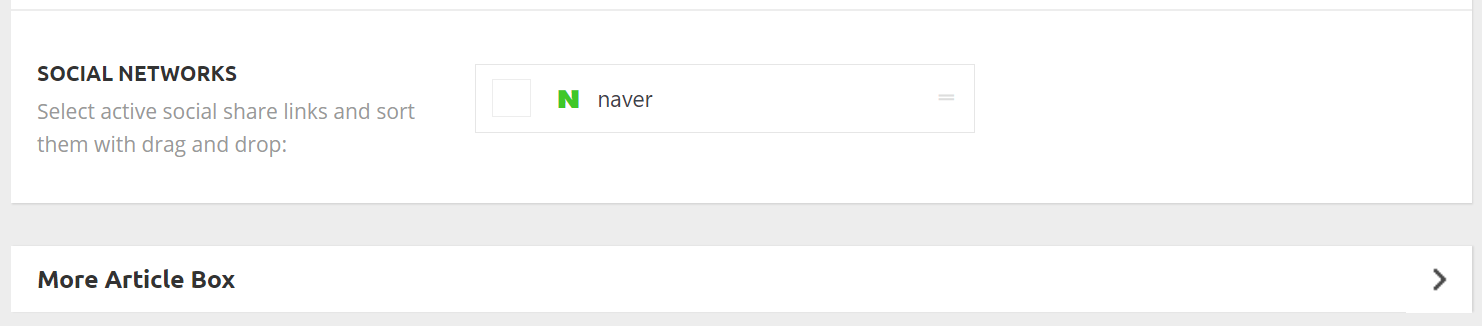
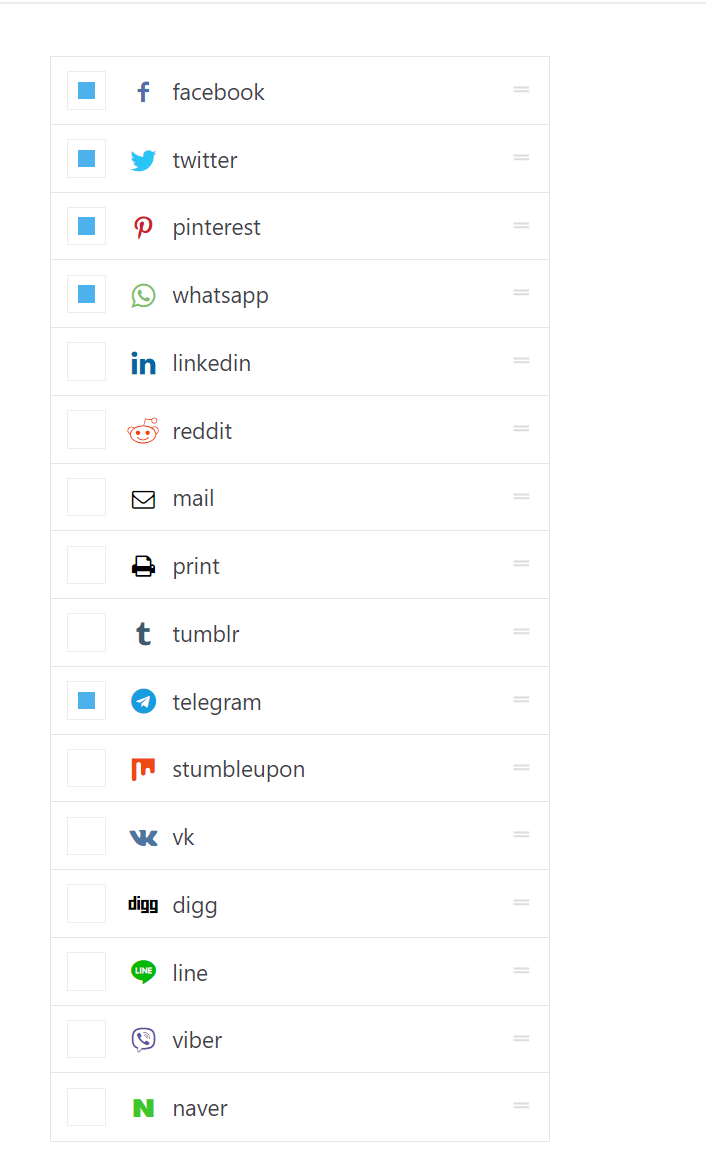
Social media buttons for share on single posts are not showing in the theme panel for site (www.deephinterland.it). Only Naver is displayed. Therefore no sharing button is also appearing in the posts frontend.
Issue looks like this https://www.deephinterland.it/wp-content/uploads/2021/04/social-media.png
When it should looke more like this (newspaper installation on another of my sites) https://www.deephinterland.it/wp-content/uploads/2021/04/social-media-absolutegamer.png
Any hint?
aux6dHi all,
I just bought “Newsmag – Newspaper & Magazine WordPress Theme”, installed it, try a pre-build template, all works good.
But i can’t activate my licence, when i click on “activate now”, i got an error “sorry, you’re not allow to access this page”…
Need help ^^
Regards, Aux
 Calin
Calin Hi teambagnews24,
The theme package does indeed contain the Revolution slider. No need to activate it, simply ignore the activation messages. It is a bundled plugin, you can use it fully without the need of a activation key
– https://help.market.envato.com/hc/en-us/articles/213762463-Bundled-Plugins
How to install Revolution Slider v5-> https://forum.tagdiv.com/how-to-install-revolution-slider-v5/
Import Revolution Sliders on demos -> https://forum.tagdiv.com/import-revolution-sliders-on-demos/
Thank you!
Bettina Hello!
If you use default templates, please check if you have Standard Pack installed and active.
If you use cloud templates, then try to do these steps as quickly as possible, so your visitors do not notice the process:
1. disable TagDiv Composer
2. uninstall TagDiv Composer
3. clear cache (if cache plugin exists)
4. install TagDiv Composer
5. activate TagDiv Composer
6. clear cache (if cahce plugin exists)
Also make sure your WordPress and plugins are up to date.
Sometimes, the issue can be from a plugin conflict, that’s why, please deactivate ALL plugins except tagDiv ones, also if you are using a cache plugin, deactivate it, clear all cache and try again.
Let us know about your results!
Thank you!
p3ntagonhi,
i wanted to build newspaper and buddypress site. i set up newspaper & installed buddypress. Then i click on activity-stream and the site is broken. you write that you are aware of this situation.
Question: as this is part of my business and i bought newspaper theme for using together with buddypress as you write this plugin is tested and safe to use… for me this is a big problem now because you are writing that there is no estimation when this problem will be fixed.
as i do not know if it will take 2 days to fix the problem, 2 weeks or 2 month i kindly ask you to tell me:
QUESTION #1: which newspaper theme version was the latest compatible with buddypress ?
QUESTION #2: when i switch back to older newspaper theme my current posts and pages will still work ?
thanks for any help!