
- NewspaperAutoptimize Plugin – install and configuration
- NewspaperCache plugin – install and configure
- NewspaperInstalling Pre-built Websites
- NewspaperHow to Install Newspaper via FTP
- NewspaperHow to Install Newspaper via WordPress
- NewspaperIntroduction to CPT and ACF with Newspaper Theme
- NewspaperHow to edit modules for Flex Block X
- NewspaperWooCommerce: Happy “Add to Favorites!”
- NewspaperWoo Brands
- NewspaperStripe Setup
- NewspaperModal Popup
- NewspaperPayPal Setup
- NewspaperFlex Block Settings Guide
- NewspaperHow to setup the Contact Page
- NewspaperAdd Cryptocurrency Price Ticker Widget
- NewspaperInfinite Loading for Single Posts
- NewspaperThe Newspaper Mobile Theme: Introduction
- NewspapertagDiv Social Counter plugin
- NewspapertagDiv Shop
- NewspapertagDiv Opt-In Builder
 Bettina
 Hello!
If you created the mobile pages with TagDiv Composer in your own style, then when you install Mobile Theme plugin, your pages will be overwritten by the plugin.
The Mobile Theme is a performance optimized theme included in the Newspaper main theme and it loads only for mobile devices. It comes with it’s own templates for page, post, category, etc so your current templates from the desktop theme will get converted to the mobile theme layout. For more details, please take a look here: https://forum.tagdiv.com/the-mobile-theme/
Better deactivate the plugin and see the results.
Thank you!
 Vlad S
 Hello !
Please re-install tagDiv Composer and try again.
Thank you !
 anoopcnair
 I have not installed any demo. This is live website and I don’t see the option that you highlighted in the above screen capture
Bettina Hello!
If you want to keep desktop design and mobile design same, then you need to deactivate Mobile Theme plugin.
When you install Mobile Theme plugin, your pages will be overwritten by the plugin.
The Mobile Theme is a performance optimized theme included in the Newspaper main theme and it loads only for mobile devices. It comes with it’s own templates for page, post, category, etc so your current templates from the desktop theme will get converted to the mobile theme layout. For more details, please take a look here: https://forum.tagdiv.com/the-mobile-theme/
Better deactivate the plugin and see the results.
Thank you!
Vlad S Hello !
Please make sure that you are using a caching plugin. https://forum.tagdiv.com/cache-plugin-install-and-configure/
For the latest articles simply go into Theme panel – Translations: https://www.screencast.com/t/7CXxqrRiL CTRL+F and search for the latest articles text.
Thank you !
Vlad S Hello !
Please note that Newspaper Theme has not been tested on a multisite. Please send us a screenshot of your System Status Tab and make sure that all the requirements are met as you can see here: https://forum.tagdiv.com/requirements-for-newspaper/ ; You will have to first start looking for a plugin conflict. please deactivate ALL plugins except tagDiv ones, also if you are using child theme or cache plugin, deactivate them, clear all cache and try again.
Also you can try and remove and re-install the tagDiv Composer plugin.
Let us know the results.
Thank you !
Vlad S Hello !
First start looking for a plugin conflict. please deactivate ALL plugins except tagDiv ones, also if you are using child theme or cache plugin, deactivate them, clear all cache and try again.
Also you can try and remove and re-install the tagDiv Composer plugin.
Let us know the results.
Thank you !
Vlad S Hello !
At the moment everything seems to be working right. Can you please setup WP Super Cache: https://forum.tagdiv.com/cache-plugin-install-and-configure/
And also activate the mobile theme and we will re-take a look.
Thank you !
Vlad S Hello !
First start looking for a plugin conflict. please deactivate ALL plugins except tagDiv ones, also if you are using child theme or cache plugin, deactivate them, clear all cache and try again.
Also you can try and remove and re-install the tagDiv Composer plugin.
Let us know the results.
Thank you !
Vlad S Hello !
Please reinstall tagDiv Cloud Library plugin. Also what AMP plugin are you using ?
Thank you !
 Alin [tagDiv]
 Hi,
@huiduoduo
This is your opinion!
Just a few things to clarify because you’ve mentioned my name here:
– You’ve provided one star rating for “The theme is missing the style.css stylesheet.” error. I’ve explained the installation process.
– You asked 2 questions and I answered both (one was solved, for the other one I still needed some info).
Unfortunately we don’t work on weekends and you have sent more replies. The support schedule is posted on our forum and also it is sent as an autoreply on email.
We don’t ignore you or anyone else! We do all our best to help our clients during the support hours and we answer from the oldest emails (topics) in order. If you add more replies we will get later to you!
@FietsersbondHZ and @CarpFreakz Thank you for your support!
Have a great week!
 Calin
Calin Hi winipnews, if you have the mobile theme plugin, the menu need to be set from here -> https://i.imgur.com/ECvLv8v.png also if you are using WP Super Cache make sure that this option is enable -> https://i.imgur.com/9YYIQSK.png also make sure that all settings are as in this guide https://forum.tagdiv.com/cache-plugin-install-and-configure/
Let me know the results!
Vlad S Hello !
First start looking for a plugin conflict. please deactivate ALL plugins except tagDiv ones, also if you are using child theme or cache plugin, deactivate them, clear all cache and try again.
Also you can try and remove and re-install the tagDiv Composer plugin.
Let us know the results.
Thank you !
 rcemigrationproject
Good afternoon, on the website https://migranty.org the NewsMag theme is installed, periodically there are problems with displaying images of posts, now there is a problem when reposting this link to the news: https://migranty.org/novosti/vzaimnoe-priznanie-dokumentov-trudo/. The debugger https://developers.facebook.com/tools/debug doesn’t solve the problem by pointing to the 403 response code. Reposts to other social networks also raise questions. Please tell me how to deal with these social network bugs once and for all
 KUMESH BHARTI
It is only Support Desktop and Laptop. But Mobile Version is Not Support in Whole Theme Design. It’s means that I have Created my website in my own style, BUT NewsPaper Theme is not SHOWING Mobile Version of my Custom Theme Style. I have already Install Mobile Theme Plugin. I am very Tired about this theme. Please Check on your Mobile of my Website. Please
I am Trying Last 5 Days, but I am NOT Success in Mobile Version on Theme.
Please Solve my problem.
My Website is https://lifechangingquotes.org/
I am waiting your Response…
Thanks!
 foreclosurepedia
New install of theme. When I go to set the Category Filter for a block, the Categories stop at the letter “I” and I do not know why other than I have tons of them. Is there a max number/count that the dropdown menu stops or what should I do? Thanks!
 meihaoing
Hello, after install all content for default pro newspaper, in home page, why ALL topics (DON’T MISS, LIFESTYLE NEWS, HOUSE DESIGN, TECH AND GADGETS, PERFORMANCE TRAINING…..EDITOR PICKS, POPULAR POSTS etc..) have same posts? How to do now?
Earliest reply will be grateful, thank you in advance!
 Hassan12345
After installing the theme and its plugins, When we click anywhere in the WordPress dashboard, We redirect to an error called Critical error Debugging in WordPress.
I Installed plugins one by one. Error coming from these plugins tagDiv Composer, tagDiv Social Counter, tagDiv Standard Pack.
I am frustrated with this error. Please help me with this. I am attaching a link.
I Will provide you logins of the dashboard when you contact me via email
foreclosurepedia Brand new install at https://foreclosurepedia.org
Been on WordPress roughly 12 years.
All images gone using most current version of WordPress.
When I removed the AMP plugin they all came back. A mess as I use Google AdSense and now I cannot. Ditto for Restrict Content Pro for paid memberships. Very disappointed in buying this.
 swahid
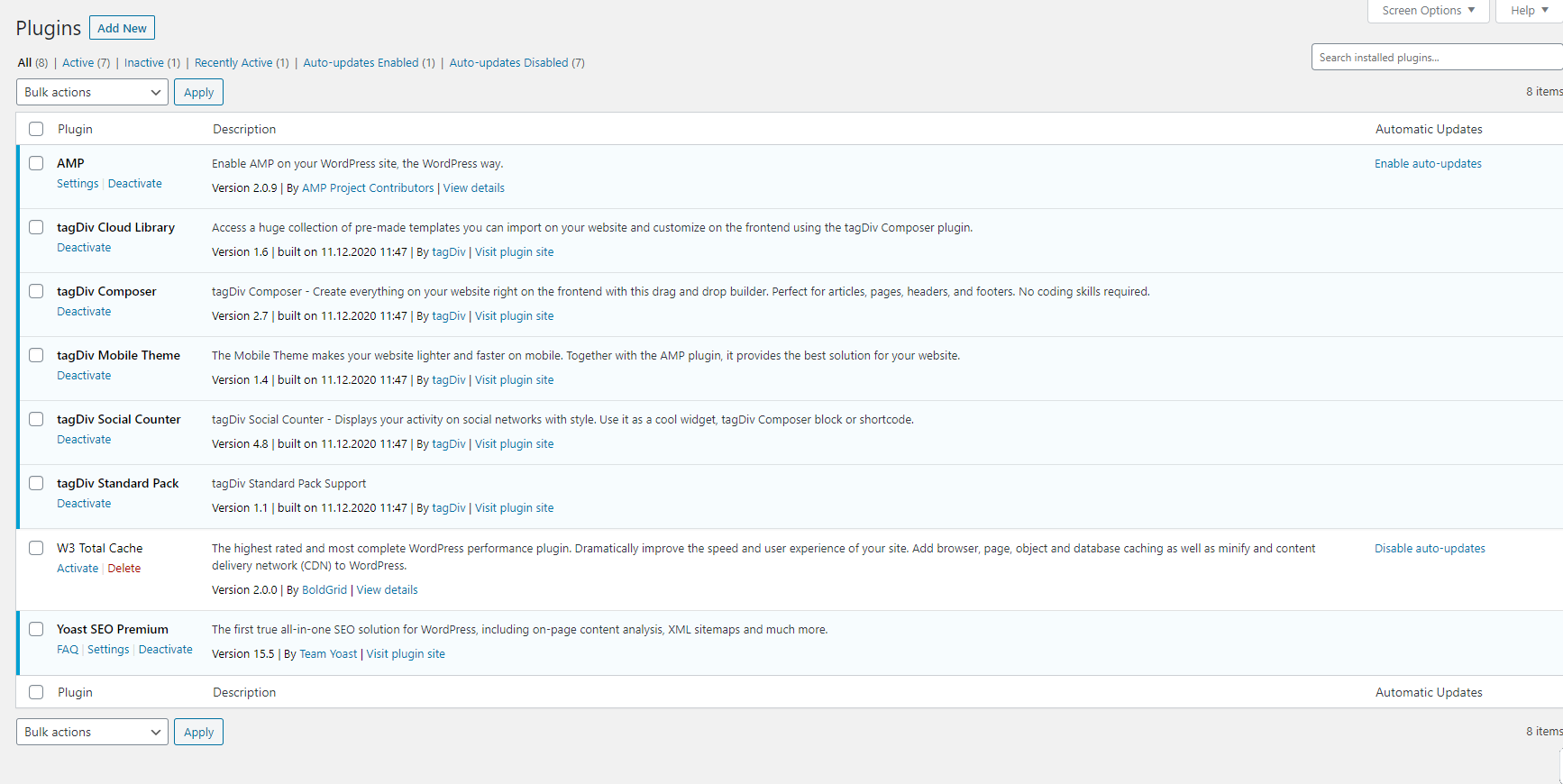
 All plugins I have installed
https://imgur.com/WTYEiAN
 pisqoloq
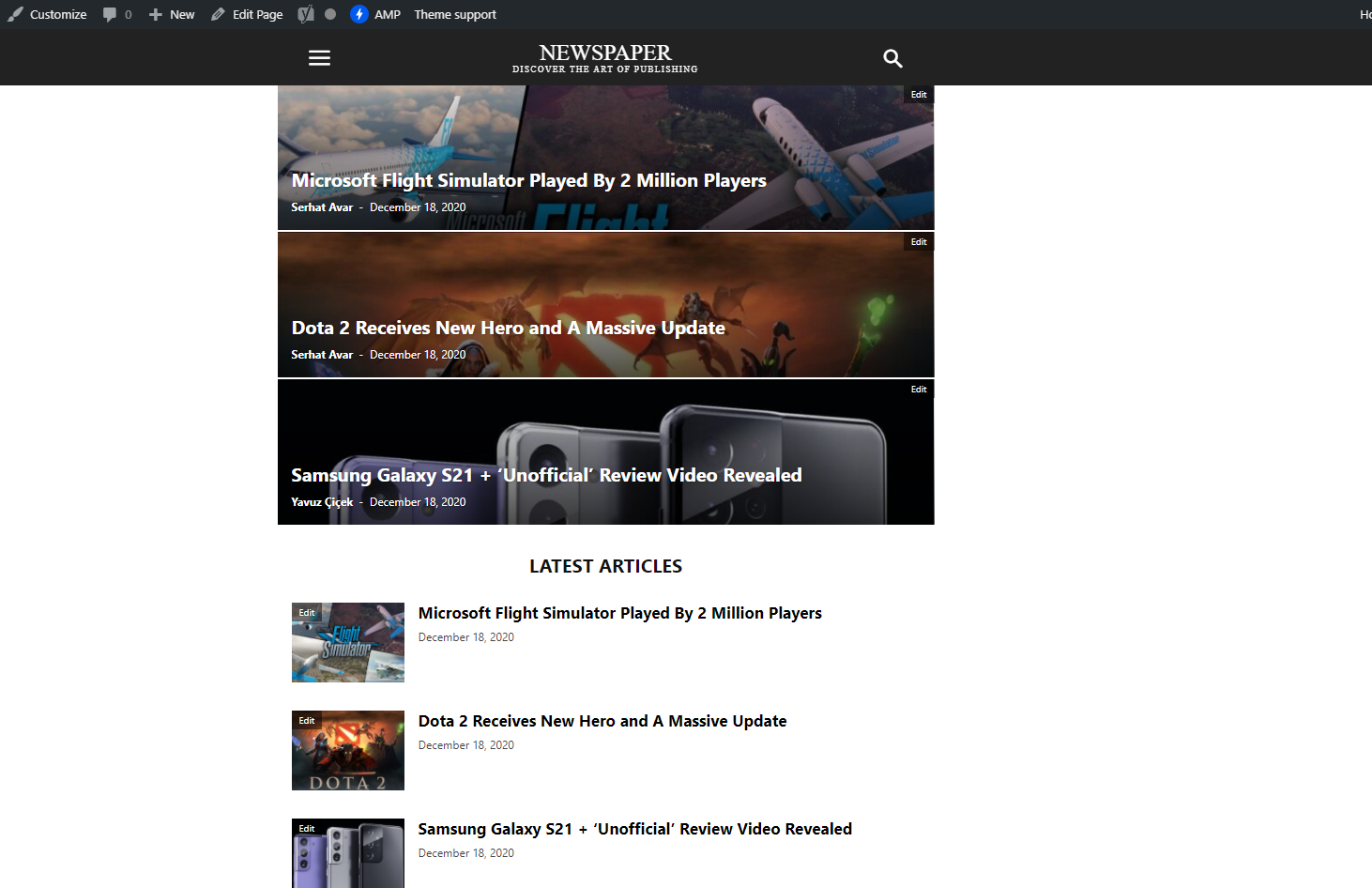
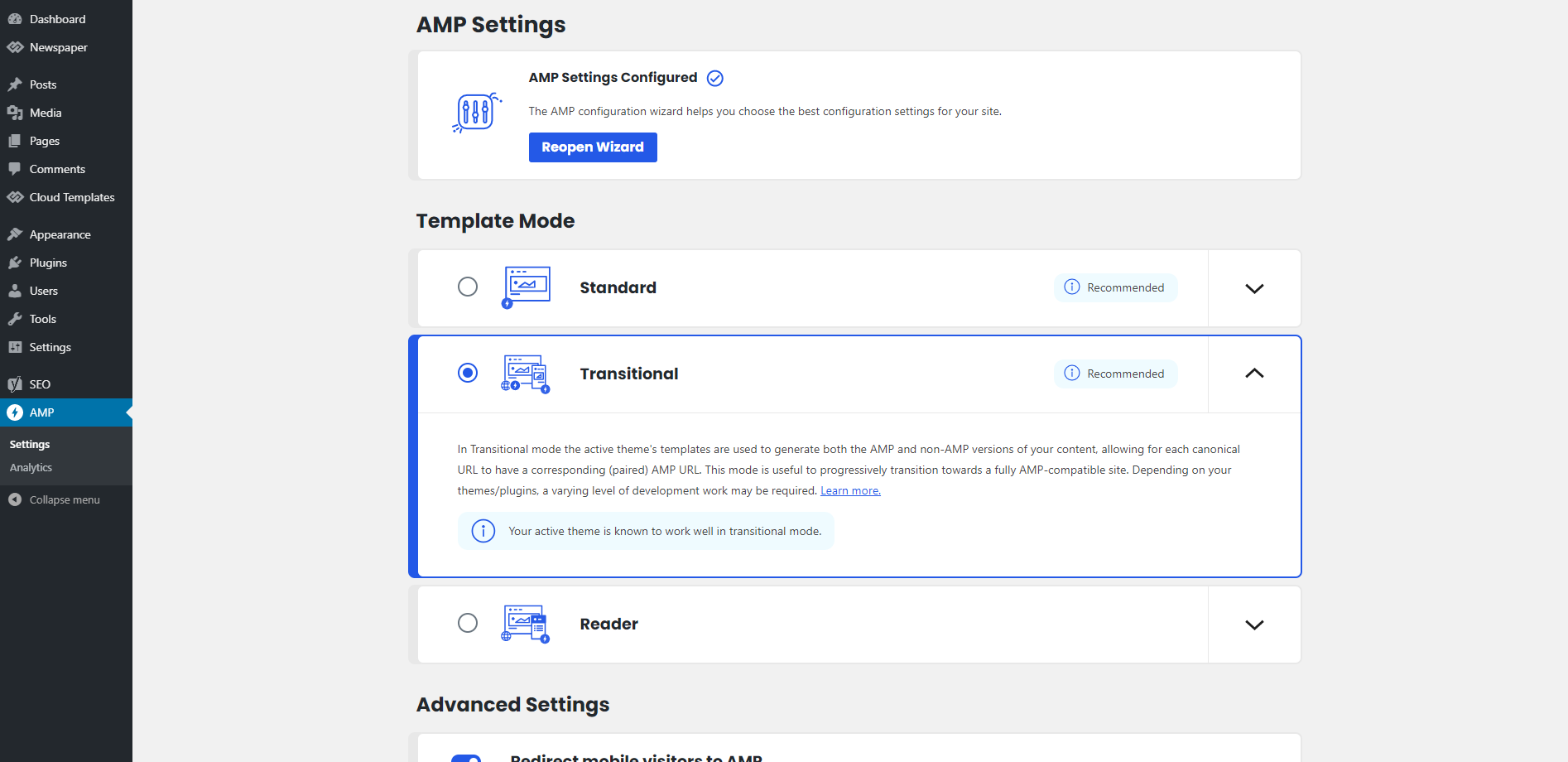
Hello, I try to change my AMP topnavbar, but i could not find the edit page.
I installed all required plugins but i cant edit amp theme.
For example how I can change Newspaper text on top nabvar?
 gomshi
Hello everyone, quick question
Just purchased Newspaper X theme and want activated it with pre-installed WordPress hosting. I’d like to switch the hosting, could you please walk me through how can I deactivate theme on one WordPress to switch it to another one, on another hosting with the same purchase code?
Thanks
 greenbooks
 Bettina
I am new to the theme.
I have installed the magazine_pro,
Sorry, Finding so much difficult to add the podcast block to the magazine_pro theme.
Hence, requested the instructions!
>I was unsuccessful to get the results following your first reply.
Still, I am struggling!
HELP!
Thanks
Bettina Hello!
If you follow my instructions from the first reply, then you will find out that you can add a podcast or more. Also, I said that you can install Magazine_Pro Theme in your website and change it how you want.
Thank you!
Bettina Hello!
From what you describe it seems you have installed Mobile theme plugin. When you install Mobile Theme plugin, your pages will be overwritten by the plugin.
The Mobile Theme is a performance optimized theme included in the Newspaper main theme and it loads only for mobile devices. It comes with it’s own templates for page, post, category, etc so your current templates from the desktop theme will get converted to the mobile theme layout. For more details, please take a look here: https://forum.tagdiv.com/the-mobile-theme/
Better deactivate the plugin and see the results.
Thank you!



