- NewspaperAutoptimize Plugin – install and configuration
- NewspaperCache plugin – install and configure
- NewsmagInstall via WordPress
- NewsmagInstall via FTP
- NewsmagInstalling pre-built websites
- TutorialsHow to install Revolution Slider
- NewspaperInstalling Pre-built Websites
- NewspaperHow to Install Newspaper via FTP
- NewspaperHow to Install Newspaper via WordPress
- TutorialsHow to Install bbPress forum
- NewspaperIntroduction to CPT and ACF with Newspaper Theme
- NewspaperHow to edit modules for Flex Block X
- NewspaperWooCommerce: Happy “Add to Favorites!”
- NewspaperWoo Brands
- NewspaperStripe Setup
- NewspaperModal Popup
- NewspaperPayPal Setup
- NewspaperFlex Block Settings Guide
- NewspaperHow to setup the Contact Page
- NewspaperAdd Cryptocurrency Price Ticker Widget
 donvito0
Dear sir,
I bought your theme Newspaper 12, and i have a litlle problem.
Demo version of your mobile version on themeforest is not the same when i installe it on my website.
What can be a problem?
Articles are presented only as a list, no grid, no boxes, no nothing.
What can i do?
Thank you,
Regards
 peters1964
Hello,
1. i would like to set the fonts on the website and the following pages uniformly. Where exactly can I do this? I don’t want to use Google fonts because of the General Data Protection Regulation.
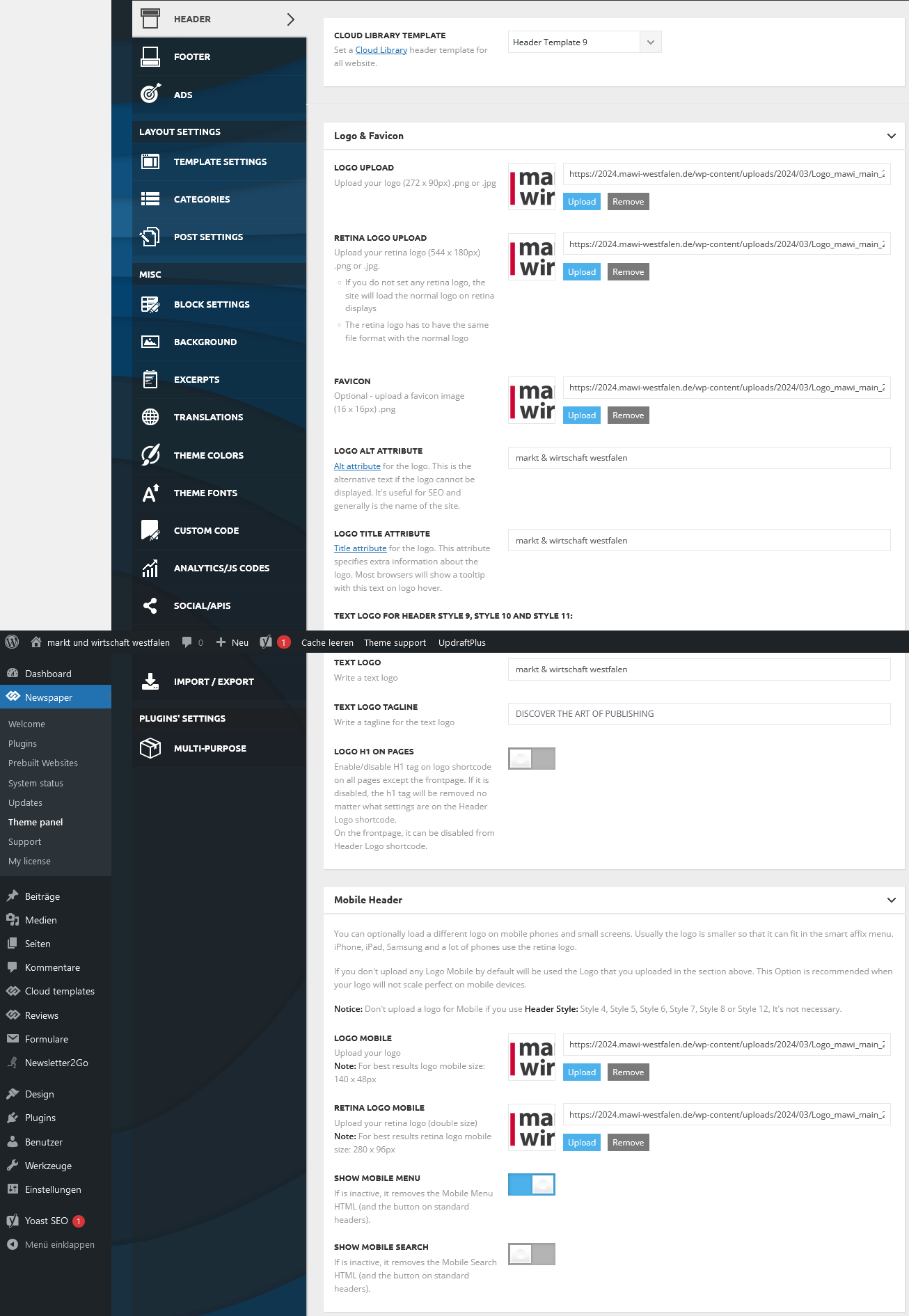
2. my logo on the website is not displayed in the header on my mobile phone. What do I need to change in the settings or do I need to install the mobile theme panel?
https://2024.mawi-westfalen.de/wp-content/uploads/2024/03/Screenshot-2024-03-17-at-17-26-00-Theme-panel-‹-markt-und-wirtschaft-westfalen-—-WordPress.png
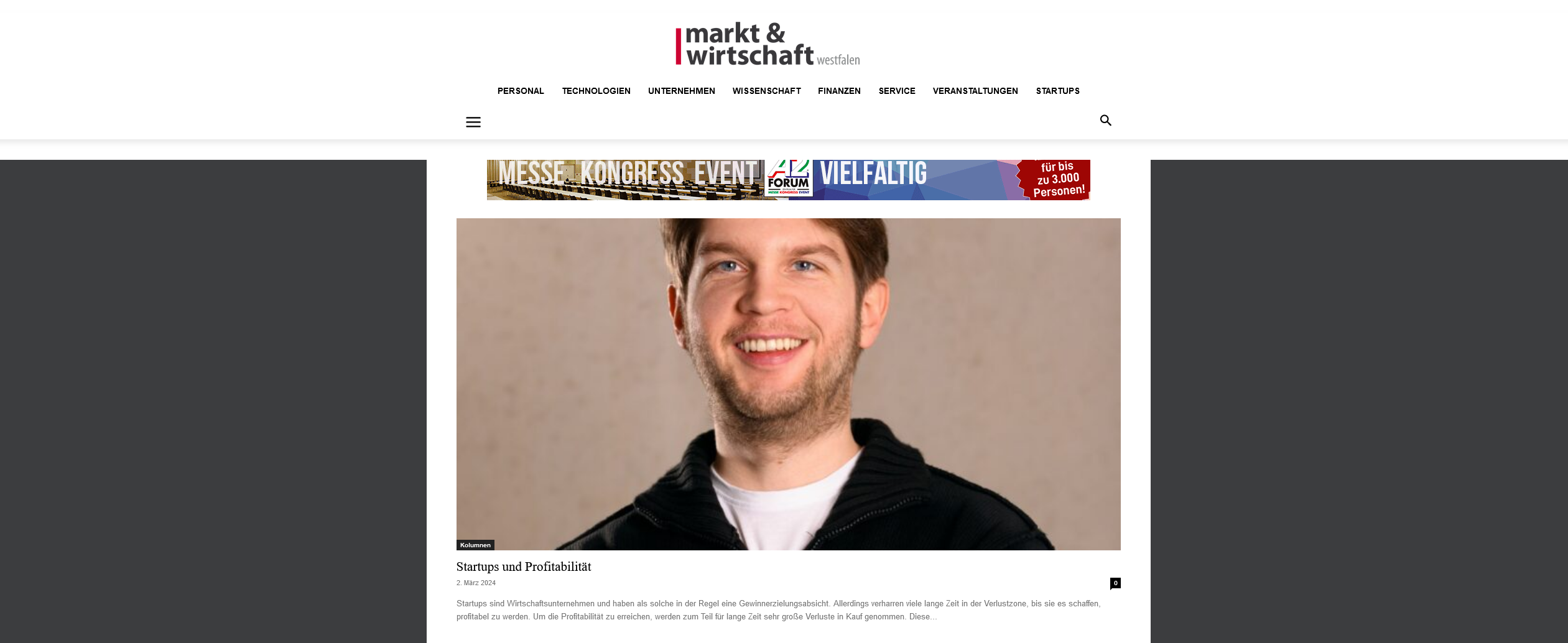
3. where can I set the background color for the header area?
https://2024.mawi-westfalen.de/wp-content/uploads/2024/03/Screenshot-2024-03-17-at-17-42-11-Home-markt-und-wirtschaft-westfalen-1.png
Thank you for your support.
Christiane
 Andy
Andy ISSUE SOLVED: Redis Object Cache cause of issue in case you need to flag that plugin. I was not aware it had been installed on the server changeover.
 Anamaria
 Hi,
I’ve noticed that you’ve fixed the issue. You can install templates if you wish https://forum.tagdiv.com/how-use-tagdiv-cloud-library-templates/
Thank you!
 fm
fmHello,
We have installed the latest version of Newspaper today. Since then, the menu on our smartphone at https://www.Autogazette.de no longer works.
Our technician can’t find a reason.
I would be grateful for any tips.
 vanessazlobich
 I tried installing templates from cloud and now am stuck in even deeper hole, how do I turn them off?
vanessazlobich Ok, I managed to update theme and reinstall plugins, but website design got wrecked… And now mainpage is ruined, is there a way to fix it?
Anamaria Hi,
Please update the theme to the latest version 12.6.5.
This malware infects not only theme files but also WordPress files or other plugin files. This malware was not detected only in our theme but also in many other themes and plugins https://www.bleepingcomputer.com/news/security/massive-balada-injector-campaign-attacking-wordpress-sites-since-2017 / -> https://cybernews.com/security/wordpress-malware-epidemic-balada-injector/ -> https://www.geoedge.com/balda-injectors-2-0-evading-detection-gaining-persistence /
You could consider reinstalling the WordPress version, reinstalling the theme, and checking for this plugin wp-zexit.php. It might be wise to inspect via FTP if it doesn’t appear in the WordPress -> Plugins. Additionally, using Wordfence to scan the website and remove unknown users would be prudent.
Thank you!
 cerclealgerianiste
Hi,
I have recently installed mobile theme on my website, but I cannot find how to translate some titles :
“Latest articles”
And in the footer :
“About us”
“contact us”
Could you please indicate me how to do this ?
Thanks a lot for such a great template !
 Bettina
 Hello @BinShehab!
I suggest you use the gtranslate plugin, so you shouldn’t have doubled templates.
You can use a license key for one single product(website). For the other domains/sub-domains, please consider buying another license key. There are two places for a license: one can be used for staging, and the other is for the live version of your product/sub-domain/website. If you want to move the theme to another website or change domain/migrate, you’ll need to reset the license key from that website: https://www.screencast.com/t/Zt12bpyX and remove the theme (delete), in this way the license will be available for the new website and you can use the theme without any problems.
If you use it on subdomains that are a part of your product or wp multisite, you could use the same key.
Check this thread for example: https://forum.tagdiv.com/topic/sub-domains-installation/
Thank you!
Anamaria Hi,
Please edit with tagDiv Composer -> https://i.imgur.com/j8YvKks.png click on the block and remove the offset -> https://i.imgur.com/dJ0iFQu.png let that field empty.
Please enable this option for the single post featured image https://i.imgur.com/hKSRSOZ.png
Page speed optimization results are influenced by a large number of factors like your server performance, the number of external scripts loading on the website (ads, fonts, tracking codes, external resources, plugins), the size of the images, the number of elements on a specific page, caching solution, and many, many more.
Now, also, you have a good score for mobile https://i.imgur.com/Rs31PSB.png
There are many optimization guides provided by our users here in the forum, some made by us; you could check some of them
– https://www.infophilic.com/get-almost-100-pagespeed-newspaper-theme/
– https://forum.tagdiv.com/cache-plugin-install-and-configure/
– https://forum.tagdiv.com/how-to-make-the-site-faster/
– https://forum.tagdiv.com/topic/high-number-of-ajax-request/
– https://forum.tagdiv.com/topic/score-100100-pagespeed-with-newspaper-wordpress-theme/
– https://www.andraware.com/wp-rocket-for-newspaper-theme/
– https://forum.tagdiv.com/topic/page-speed-guide-for-2023-beginners-and-advanced/
– https://forum.tagdiv.com/topic/newspaper-theme-speedify-your-website/
– https://forum.tagdiv.com/topic/tutorial-chriss-custom-optimizations-for-functions-php-etc/
– https://forum.tagdiv.com/cloudflare-cdn/
– https://forum.tagdiv.com/topic/theme-causing-high-cpu-usage-2/
– https://forum.tagdiv.com/topic/sql-querys-high-cpu/
– https://forum.tagdiv.com/topic/newspaper-theme-slow-to-respond/
– https://premium.wpmudev.org/blog/optimizing-your-wordpress-database-a-complete-guide/
– https://underconstructionpage.com/optimize-wordpress-database/
– https://crunchify.com/better-optimize-wordpress-database-all-in-one-guide/
Thank you!
 akadomasyon26
Hello. From the settings, I select the Turkish language, install it and save it, but Turkish language support is not activated. Is any additional setting required?
Anamaria Hello,
Please deactivate, delete, and reinstall tagDiv Composer from Newspaper plugins and try after to install it.
Thank you!
Anamaria Hi,
Page speed optimization results are influenced by a large number of factors like your server performance, the number of external scripts loading on the website (ads, fonts, tracking codes, external resources, plugins), the size of the images, the number of elements on a specific page, caching solution, and many, many more.
Now, also, you have a good score for mobile https://i.imgur.com/Rs31PSB.png
There are many optimization guides provided by our users here in the forum, some made by us; you could check some of them
– https://www.infophilic.com/get-almost-100-pagespeed-newspaper-theme/
– https://forum.tagdiv.com/cache-plugin-install-and-configure/
– https://forum.tagdiv.com/how-to-make-the-site-faster/
– https://forum.tagdiv.com/topic/high-number-of-ajax-request/
– https://forum.tagdiv.com/topic/score-100100-pagespeed-with-newspaper-wordpress-theme/
– https://www.andraware.com/wp-rocket-for-newspaper-theme/
– https://forum.tagdiv.com/topic/page-speed-guide-for-2023-beginners-and-advanced/
– https://forum.tagdiv.com/topic/newspaper-theme-speedify-your-website/
– https://forum.tagdiv.com/topic/tutorial-chriss-custom-optimizations-for-functions-php-etc/
– https://forum.tagdiv.com/cloudflare-cdn/
– https://forum.tagdiv.com/topic/theme-causing-high-cpu-usage-2/
– https://forum.tagdiv.com/topic/sql-querys-high-cpu/
– https://forum.tagdiv.com/topic/newspaper-theme-slow-to-respond/
– https://premium.wpmudev.org/blog/optimizing-your-wordpress-database-a-complete-guide/
– https://underconstructionpage.com/optimize-wordpress-database/
– https://crunchify.com/better-optimize-wordpress-database-all-in-one-guide/
Also, pagespeed is not covered by support -> https://forum.tagdiv.com/newspaper-theme-support/
Thank you!
Bettina Hello!
Please uninstall all the cache that you are using and check again. Try to visit the page once and verify the post views counter. Make sure this option is enabled: https://forum.tagdiv.com/ajax-view-count/
Thank you!
Anamaria Hello,
Please deactivate, delete, and reinstall tagDiv Composer from Newspaper plugins and try after to install it.
Thank you!
Anamaria Hello,
You have the mobile theme plugin activated; please disable it.
Using our theme, you can choose from 3 mobile versions
-> mobile responsive => https://www.screencast.com/t/oJ2ShOp47
-> mobile theme plugin => https://forum.tagdiv.com/the-mobile-theme/
-> mobile page => https://tagdiv.com/newspaper-10-3-7-update-brings-customizable-and-fast-mobile-pages/ The option that you need to use.
Suppose you created the mobile pages with tagDiv Composer. In that case, when you install the Mobile Theme plugin, your pages will be overwritten by the plugin (the mobile theme comes with its templates for page, post, category, etc, so your current templates from the desktop theme will get converted to the mobile theme layout, the page content is made without builders in mobile editor => https://www.screencast.com/t/xbgZG8kH also, the options that are provided to edit the mobile theme version are limited (this keeps the things simple)).
This is a video about Responsive Newspaper Theme, AMP & Mobile Theme, Mobile Pages & Templates -> https://www.youtube.com/watch?v=SpGkOnJeNZY.
So, the mobile responsive is what you see when that you select the viewport on phone => https://www.screencast.com/t/matV17hH, so some settings may apply for each viewport(where is the border blue), and others are not(where the border is black).
The mobile page has the mobile templates from Cloud Library => https://www.screencast.com/t/YCcZ8rL8
The Mobile responsive version of the theme and the mobile page editor can be edit with tagDiv Composer, the mobile theme plugin cannot.
For example, you can have the mobile theme plugin activated and use the mobile page/mobile responsive version for the homepage/pages, but for the categories pages/404 page, you can’t use the mobile page/mobile responsive version if you have the mobile theme plugin activated.
So, if you want to design the pages with tagDiv Composer, you can use the mobile page or mobile responsive version.
Also, please check this topic https://forum.tagdiv.com/topic/amp-pages-not-working-well-with-this-theme/
Thank you!
 happypeoplepickleball
 Hi, I recently installed Woo Commerce plug-in and tagdiv Shop plug in. My images are not showing on my home page or blog pages. Any ideas? Thank you!
happypeoplepickleball.com
 horaciosei
 Header is set to entire site.
I have a clean install of wordpress and using only TagDiv indicated plugins:
tagDiv Cloud Library
tagDiv Composer
tagDiv Social Counter
tagDiv Standard Pack
Loaded the Prebuild Websites: DEFALULT PRO whith content included
Not using a child theme
Tried “steps from this topic” and it’s all ok.
php.ini configuration
Server software: Apache
PHP Version: 7.4.33
post_max_size: 2048M
max_execution_time: 10000
max_input_vars: 2000
SUHOSIN installed: false
PHP extensions
mbstring: available
GD library: available
WordPress and plugins
WP Memory Limit: 3 GB/request
 danna
dannaHello,
after the update, the theme wasn’t activated anymore and all plugins were disabled. I reactivated the theme and installed all the plugins but ALL the theme settings (in the theme panel as well as all the settings from the blocks of the sites i built with tagdiv composer) are gone. How can i fix that?
All the best,
Daniel
Anamaria Hi,
Yes, you can disable them or you can use only mobile theme.
Using our theme, you can choose from 3 mobile versions
-> mobile responsive => https://www.screencast.com/t/oJ2ShOp47
-> mobile theme plugin => https://forum.tagdiv.com/the-mobile-theme/
-> mobile page => https://tagdiv.com/newspaper-10-3-7-update-brings-customizable-and-fast-mobile-pages/ The option that you need to use.
Suppose you created the mobile pages with tagDiv Composer. In that case, when you install the Mobile Theme plugin, your pages will be overwritten by the plugin (the mobile theme comes with its templates for page, post, category, etc, so your current templates from the desktop theme will get converted to the mobile theme layout, the page content is made without builders in mobile editor => https://www.screencast.com/t/xbgZG8kH also, the options that are provided to edit the mobile theme version are limited (this keeps the things simple)).
This is a video about Responsive Newspaper Theme, AMP & Mobile Theme, Mobile Pages & Templates -> https://www.youtube.com/watch?v=SpGkOnJeNZY.
So, the mobile responsive is what you see when that you select the viewport on phone => https://www.screencast.com/t/matV17hH, so some settings may apply for each viewport(where is the border blue), and others are not(where the border is black).
The mobile page has the mobile templates from Cloud Library => https://www.screencast.com/t/YCcZ8rL8
The Mobile responsive version of the theme and the mobile page editor can be edit with tagDiv Composer, the mobile theme plugin cannot.
For example, you can have the mobile theme plugin activated and use the mobile page/mobile responsive version for the homepage/pages, but for the categories pages/404 page, you can’t use the mobile page/mobile responsive version if you have the mobile theme plugin activated.
So, if you want to design the pages with tagDiv Composer, you can use the mobile page or mobile responsive version.
Also, please check this topic https://forum.tagdiv.com/topic/amp-pages-not-working-well-with-this-theme/
Thank you!
Anamaria Hello,
Please deactivate, delete, and reinstall tagDiv Composer from Newspaper plugins and try after to install it.
Thank you!
 enock123
Dear,
I have purchased the Newspaper theme, installed and it started to run perfectly only for few minutes.
Currently, it continues to load for sometimes, if it stops loading, it seems like it doesn’t finished to load for both desktop, tablets, and smartphones. I am asking the reasons. the domain is isokomagazine.com
Can you help me to better loading the website correctly?
Anamaria Hello,
You have malware on the website. Please update the theme to the latest version 12.6.5.
This malware infects not only theme files but also WordPress files or other plugin files. This malware was not detected only in our theme but also in many other themes and plugins https://www.bleepingcomputer.com/news/security/massive-balada-injector-campaign-attacking-wordpress-sites-since-2017 / -> https://cybernews.com/security/wordpress-malware-epidemic-balada-injector/ -> https://www.geoedge.com/balda-injectors-2-0-evading-detection-gaining-persistence /
You could consider reinstalling the WordPress version, reinstalling the theme, and checking for this plugin wp-zexit.php. It might be wise to inspect via FTP if it doesn’t appear in the WordPress -> Plugins. Additionally, using Wordfence to scan the website and remove unknown users would be prudent.
Thank you!
Anamaria Hello,
You have malware on the website. Please update the theme to the latest version 12.6.5.
This malware infects not only theme files but also WordPress files or other plugin files. This malware was not detected only in our theme but also in many other themes and plugins https://www.bleepingcomputer.com/news/security/massive-balada-injector-campaign-attacking-wordpress-sites-since-2017 / -> https://cybernews.com/security/wordpress-malware-epidemic-balada-injector/ -> https://www.geoedge.com/balda-injectors-2-0-evading-detection-gaining-persistence /
You could consider reinstalling the WordPress version, reinstalling the theme, and checking for this plugin wp-zexit.php. It might be wise to inspect via FTP if it doesn’t appear in the WordPress -> Plugins. Additionally, using Wordfence to scan the website and remove unknown users would be prudent.
Thank you!