
- NewspaperUser review system
- NewsmagReviews
- NewspaperReviews
- NewspaperCredit System
- NewspaperModules Builder in Newspaper Theme
- NewspaperHow to use the Posts List shortcode
- NewspaperModal Popup
- NewspaperLockers
- NewspaperLeads
- NewspaperFlex Block Settings Guide
- NewspaperSingle Post Shortcodes
- NewspaperDefault Category Settings
- NewspaperCloud Library – Category Templates
- NewspaperBig Grid Flex Settings
- NewspaperMeta Info on Modules and Blocks
- NewspapertagDiv Cloud Library Plugin
- NewspapertagDiv AMP Plugin Tutorial
- NewsmagtagDiv Composer Tutorial
- NewspapertagDiv Composer Tutorial
- TutorialsDefault Block Settings Guide
 barronlau
 Hi,
So my older posts don’t seem to have the same under content info:
http://streamtheplanet.com/best-kodi-box-2017-review/
This issue only started after I updated to the new version. Also, none of the automated update options worked, I had to manually update via FTP. Will I have to do that for all updates?
Can someone please advise?
 SuperArmySoldiers
 Should not be any slower really… Facebook do it.
As long as your site is optimised and thumbnail videos are low in size should not be an issue… or somehow a preview turned into a gif?
Ill keep digging.
 MamasLT
 It’s some sort of misunderstanding happening.
I know how to embed video in a simple post templates – I just add Media, and upload the video to the server, and it works. BUT, I want to add LOCAL video to the VIDEO POST TEMPLATES, so the video would be at the FEATURED VIDEO location, of those post templates.
“Featured Video
Featured Video will work only if you are using Video Format.
To set a Featured Video for your post just place your Youtube, Vimeo, Dailymotion or Facebook video link in the required featured video post box.
Video Format is perfect if you have a video and you want to show it in the beginning of your post.
On pages, the video preview displayed will be generated automatically. After you update the post you can see the generated preview image in the Featured Image post box.
Note: You should use Featured Video only on:
Post Style Default
Post Style 1
Post Style 2
Post Style 9
Post Style 10
Post Style 11”
So the WORDPRESS does support local video embed. The THEME does not, because when I enter the URL of local video, it shows nothing at the featured video place of the video post theme.
 DSGN Magazine
I’m having issue with my theme where it will not show the feature image for some posts under the main menu drop-downs (the little preview image that appears under the menu with a title).
It happens very randomly, and only applies to the drop-down menu images and not anywhere else on the site. In place of the image it just shows a blank box with a blue question mark in the middle.
Here’s my site: http://www.dsgnmagazine.com
If you scroll over the top menu tabs such as “Web” or “Design Tips”, you’ll noticed a post missing its image.
I’ve tried replacing the feature image, clearing the caching, changing the categories it appears under, and still nothing… just a blank image place-holder.
Can someone help me?
Thanks,
-Tim
 Simion C.
 Hi,
All the blocks can be previewed in the theme live demo
– https://demo.tagdiv.com/newspaper/block-1/
Use the selection to change between blocks, and see how they look in different layouts (1, 2 or 3 columns)
Thanks
 roberto722
Hello,
i just bought the theme and i made a bit of changes on the block 5. I set it to display the left post on the 65% of the column and the second image on the 35%. The title resized really good and also the second image is responsive to the new layout but the image of the first post doesn’t enlarge even if it is a picture like 3000px x 3000px. How can i enlarge it to make it of the right size ?
Here a preview: 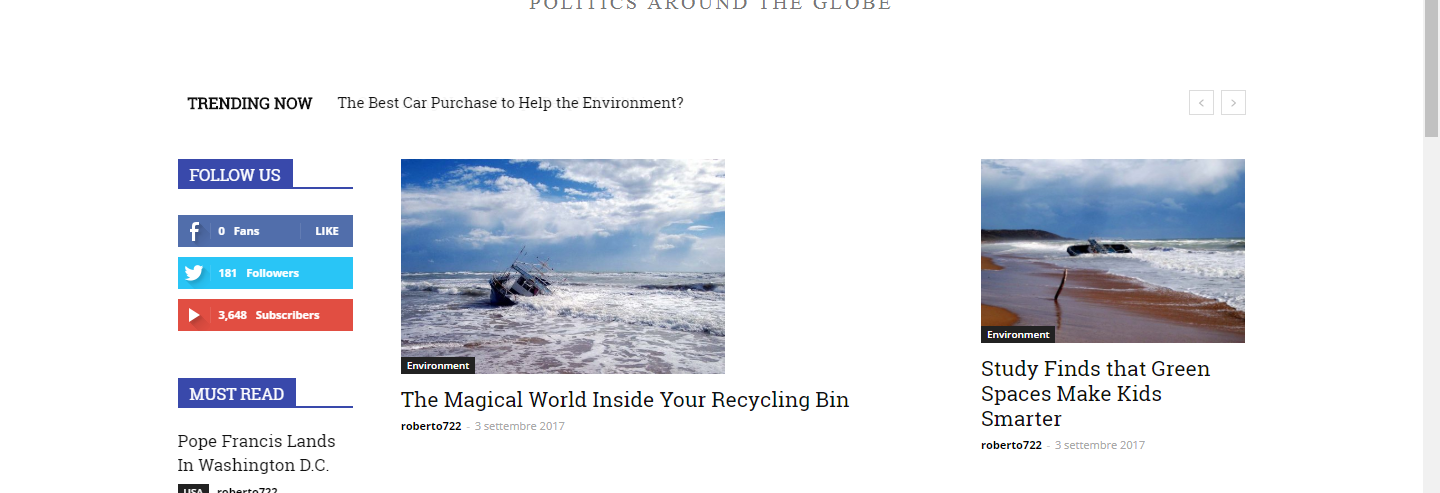
 Masudur Rashid
Hello,
I am trying to edit my home page which is with ‘Lifestyle Magazine’ demo. After the building demo site, then try to edit the home page using ‘TAGDIV COMPOSER’. When I click ‘TAGDIV COMPOSER’ to edit my page it just open composer panel, there is no live site preview.
I tried it with two different browsers (chrome and firefox). Please check the attested images.


Please let me know how can I solve this problem.
Thanks
 simchris
 Did you review the problems in the report and address them?
 amarjano
I followed all the steps to setup and start publishing Instant Articles and after submitting for review, I was informed that Facebook’s review team found some problems. 
Does it has anything to do with your theme? What should I do? Can anyone please help me?
Simion C. Hi,
At the moment the reviews will be displayed instead of the author name and date, on modules. When a post has a review the author name and also the date will not be displayed on the modules.
There are conditions in the theme code that prevent the author and date meta to be displayed, when the post has a reviw
– https://www.screencast.com/t/ym4J2mnX
This may change in a future update, and more options will be added concerning reviews on modules.
Thanks
 modocmag
 Being a publisher on Google News it is a hard hit on us that Newspaper does not come with AMP I would genuinely pay good money for it to have it. The plugins that give you AMP are simply too simple and the Newspaper theme AMP version by other publishers is okay but very basic and has no review feature, tho they said they will add it if I buy it which seems rather dodgy as I could buy it and they could never do it (Plus I spend $20+ on AMP Ads from them and it does not work!!!)
modocmagHi guys,
I love the review rating system on Newspaper but need some help. Basically, I want the star rating to be on the right of the title or below it. At the moment I managed to put it in the title by adding the simple <i> code, however, I have to do this manually is there any code that I could add to the PHP or so that would add the review automatically to the title as well the normal bottom of the article.
Here is an example of what I need.
https://www.screencast.com/t/0058kNify8E
 Osnak
OsnakHello!
I would be very much obliged if you provide me the following information:
1. In Video News Demo –
A. How can I create the menu with post Thumbnail preview?
B. How Can I change the block of main menu post preview thumbnail?
C.How Can I Change Latest Articles Block?
2. Is it possible to convert the theme Full Width?
Thanks & regards,
Osnak
 Catalin
 Hello kalum,
Regarding on page speed, please notice that thing depends on how well your site is optimized. Notice that is not a simple task and if you do not have any experience in this regard you will do not bring good results for the theme. Also, notice that we have a speed optimization tutorial but this is addressed only to advanced users. So, if you follow the steps which are presented in this tutorial here -> https://forum.tagdiv.com/how-to-make-the-site-faster/ you can increase the page speed loading and if you are not aware of the steps in this regard, please consider hiring a freelancer/developer to help you because the speed optimization services are not covered by our support policy, as you can read here -> https://forum.tagdiv.com/support-policy-2/ Check our documentation here -> https://forum.tagdiv.com/requirements-for-newspaper/ regarding on dedicated server to fit to our requirements. For an example, you should check our demo preview because this website is optimized.
There are multiple guides and tutorials here on the forum regarding speed optimization, that you can search for and read:
– https://forum.tagdiv.com/how-to-make-the-site-faster/
– https://forum.tagdiv.com/cache-plugin-install-and-configure/
– https://forum.tagdiv.com/cloudflare-cdn/
Thanks for your understanding!
 namtv
namtv Comments may be included anywhere. The number “0” just to be different? For example, on “Comments” or something else. Did not seem to visitors that the “0” reviews.
Catalin Hi daniloz,
I have inspected your website and I saw that you are not using our Related Articles modules which can be enabled from Theme panel, like this -> https://forum.tagdiv.com/related-articles-2/ I guess that you are using such a plugin to display this module and that’s why you do not bring the same layout with our demo preview. If you want to achieve the same effect, you should use only the theme’s functionality.
If is not what you mean, please provide more details about what exactly you want to achieve and also, can provide any others useful screenshots so I can understand it better.
Thanks for your message!
 Demir
Demir Hi Chris,
All settings are correct.
When I enter a posting page, there is information in the preview section of Yoast SEO section at the bottom of the page. But the bottom of the “Analysis” heading is empty. Previously, this area came up with suggestions and conclusions.
Also on the top right of the page was (such as) “SEO = good” “Readibiliy = good”, now it does not appear on that part.
Last time I made the change: in “Users> Profile” section I made the update. And I wanted to add a photo to the gravatar. I had to login to WordPress.org site, but when I entered the correct information I could not login. I do not know if these transactions have a relationship with this problem.
Regards.
 protoryan
Hey,
Two questions about the same area:
Take this page for example: https://www.woodfloordoctor.com/product-review-steam-mops-on-wood-floors/
At the bottom of the content text there is a “related post” – not the one below the Pagination the one above it.
In Settings > Reading > Related Posts
you can ADD features here, but the most you can widdle it down to is 3 text blocks. You can’t remove it! So how do you remove this.
Second question is the Pagination. How do I position this ABOVE the (Theme Panel > ADS > Article bottom ad). It makes sense to have your pagination directly below the words in the article. I want the ad below the Pagination.
Thanks.
 travisnw Simion C.
 Hi,
Review schema will be added for posts containing a review
– https://www.screencast.com/t/ZCzdBRLWkKi
Thanks
travisnw travisnw Thanks Bogdan. I don’t want to remove the existing theme markup for articles. I just want to add the markup for recipes, products, and reviews.
So…
1) It sounds like if I add schema markup to posts and pages, the theme updates will overwrite them. Did I understand that correctly?
2) If #1 is true, how do you suggest people add schema markup? Do they have to make a child theme first?
3) and… Now that I already have my site up and running, should I be switching to creating a child theme? I’d rather not, but I’m worried about not having a way to add the schema markup.
4) When I make Tagdiv recommended changes to increase my site speed, will those get overwritten with every new update of the theme?
-
This reply was modified 9 years by
travisnw.
 solaris
 HI Alin ,
Thank you for a “proper” reply. I turned off the cache and installed the new theme. It worked perfectly.
I have changed my review to reflect this. Although the support i got first was terrible.
Simion C. Hi,
These are all the capabilities and requirements of the smart lists
– https://forum.tagdiv.com/smart-lists/
There is no limit to the list items, you can have as many as you want. Also the order of the items can be changed in the smart list settings
– https://www.screencast.com/t/90gdV8I1
There are smart list templates that have the option to display an ad inside the list content
– https://www.screencast.com/t/LCZPGjkDC1cv
You can see these smart list templates in the live demo
– https://demo.tagdiv.com/newspaper/whitewater-rafting-day-trip-new-york-east/
– https://demo.tagdiv.com/newspaper/10-landscapes-wont-even-imagined-exist/
– https://demo.tagdiv.com/newspaper/apple-ipad-pro-review-powerful-ipad-experience/
The option to create a smart list is not available for pages, only for posts in the post settings
– https://www.screencast.com/t/BN53ppK3DX
Thanks
 haroldsimon
We are having a lot of trouble with paragraph breaks disappearing — sometimes there’s nothing we can do to make them come back.
In this post I was able to add <p> tags, or change <div> tags to <p> tags: https://shelterforce.org/?p=15552&preview=true.
But I can’t hand code all of our content! I’ve tried turning off a lot of plugins–all the ones we aren’t actively using. I’m reluctant to deactivate others our site relies upon, but if you can identify ones that are likely to be doing this, I’ll try it.
