- NewspaperAutoptimize Plugin – install and configuration
- NewspaperCache plugin – install and configure
- NewsmagInstall via WordPress
- NewsmagInstall via FTP
- NewsmagInstalling pre-built websites
- TutorialsHow to install Revolution Slider
- NewspaperInstalling Pre-built Websites
- NewspaperHow to Install Newspaper via FTP
- NewspaperHow to Install Newspaper via WordPress
- TutorialsHow to Install bbPress forum
- NewspaperIntroduction to CPT and ACF with Newspaper Theme
- NewspaperHow to edit modules for Flex Block X
- NewspaperWooCommerce: Happy “Add to Favorites!”
- NewspaperWoo Brands
- NewspaperStripe Setup
- NewspaperModal Popup
- NewspaperPayPal Setup
- NewspaperFlex Block Settings Guide
- NewspaperHow to setup the Contact Page
- NewspaperAdd Cryptocurrency Price Ticker Widget
 marijn390
Good morning,
After updating to WordPress 5.0, the font, if I create a post or a page, is different. When I install the clasic editor plugin I have the normal font again. Diot is not the case with other themes. Presumably it is a bug in your theme. If I deactivate the plugins nothing changes.
 mightypixel
 From the System Status page:
Theme version 9.2.2
Theme database version 9.2.2
php.ini configuration
Server software nginx/1.15.7
PHP Version 7.3.0-1+ubuntu16.04.1+deb.sury.org+1
post_max_size 128M
max_execution_time 300
max_input_vars 10000
SUHOSIN installed false
PHP extensions
mbstring available
GD library available
WordPress and plugins
WP version 5.0.1
WP multisite enabled No
WP Memory Limit 512 MB/request
WP_DEBUG False
 Ssethioscope
 Thanks for the reply, Bogdan!
Watched the video tutorial but couldn’t get it. Are you saying I can install the demo (skin?) without the content?
Best regards,
http://www.ethioscope.com
 dronesinsite
 Hi,
I deleted the plugin, cleared all cache and reinstalled it.
There arent any settings with your plugin.. its very basic, still i get the errors.. i didnt have any problems before. I dont think i did anything wrong. maybe there are issues with the new wordpress.. should i disable it and use another one?
 brue
brue Since i have 4 Newspaper themes, i ve tried to check on one testing site, which is not developed yet. Simple front page, not designed with composer, just text.
As soon as i installed new version of Newspaper theme, all plugins got in conflict and cannot be activated if td-composer is activated, i.e. theirs activation leads to white blank pages.
 cazino365support
Hey,
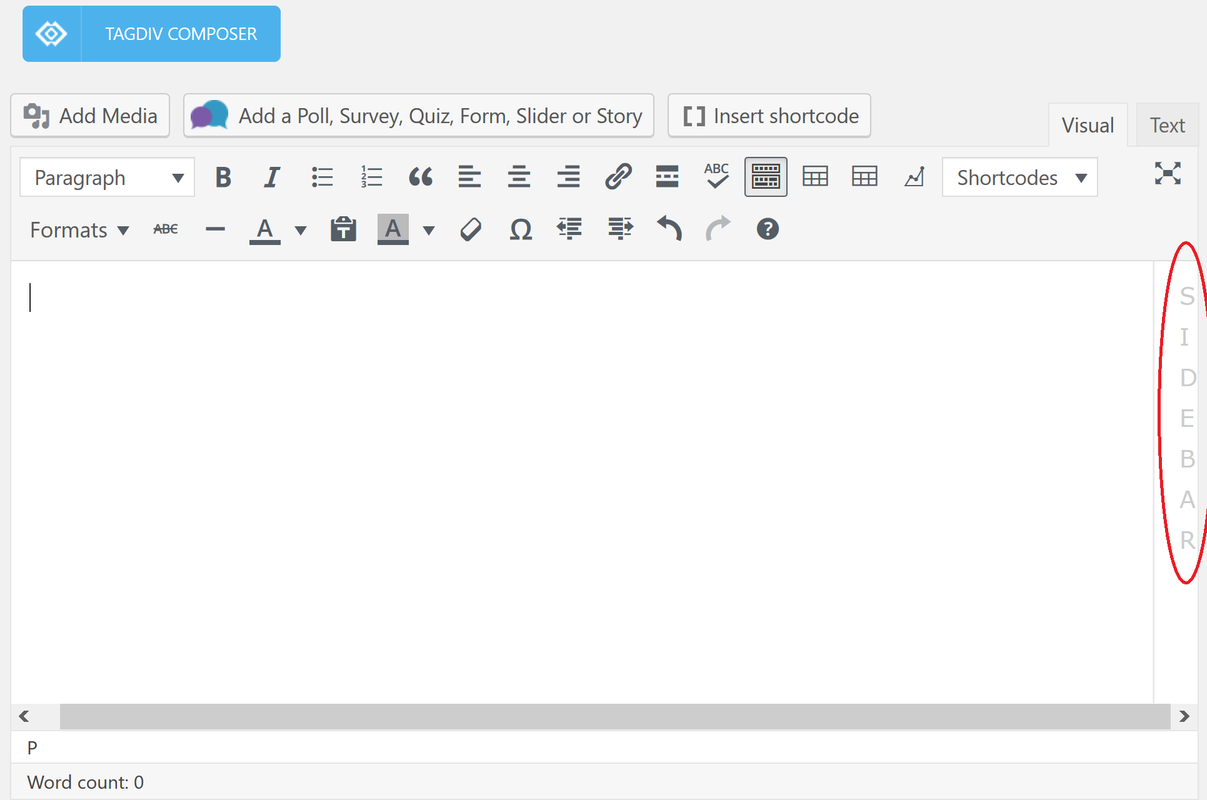
How can I remove this sidebar with letter from the Visual Editor? I don’t remember to have it before I installed this theme.
brueHi
I ll try to explain what happened this morning
0. I already had installed Nespaper 8.7 site with Multi-purpose set pages and visual edited with tagDiv Composer
1. i have updated WP to newest version 5.01
2. Everything worked with all additional plugins as it was before point 1, except page where i had tagDiv Composer made block showing all posts sorted by newest first and with Load more option. This page suddenly gave white blank page
3. I thought that maybe its because new WP and i need new version of Newspaper theme, so i downloaded it from Envato and installed it (9.2.2)
4. I ve activated theme and suddenly all pages turn blank white, even admin page. Managed to fix this and at least to get admin page by renaming manually Newspaper theme folder.
5. Then I thought that its maybe because of plugins that goes with Newspapers, so i reinstalled tagDiv Composer and others td’s with those provided files in installation
6. Finally i have following situation:
– only tagDiv Composer is activated, of all plugins, site works (w/o some additional functionalities which other plugins provide)
– if i activate Classic Editor plugin and/or td speed booster, site still works
– if i activate any other plugin, even td Social counter to not mention other as those important Wordfence Security, Yoast and similar, entire site goes again in white blank pages
I ve tried to make theme inactive, deleted Newspaper folder and reinstalled it again. Problem hasn’t changed.
What to do? What could be so wrong? I m not skillful with this and WP, just common user.
 Simion C.
 Hi,
Maybe try and check what are these scripts and CSS files that slow the website speed, I browsed the website for a while, seems fast at the time of checking, page size is normal
– http://prntscr.com/lwtvv1
This would be the theme requirements guide – https://forum.tagdiv.com/requirements-for-newspaper/
If there are multiple other plugins installed the parameters mentioned in the guide should be set higher if possible (I see WPML is used).
We haven’t made any testing with Varnish and the theme, we only tested with WP Super Cache up to this point. Also maybe tweak the cache settings if possible, check with online testing tools and try to make more improvements.
There will be optimizations made by us in the theme, in coming updates. These should provide a noticeable improvement in the matter of speed.
For the count to work with caching try this setting – https://forum.tagdiv.com/ajax-view-count/
Thanks
 acdmin
 Hi,
I tried installing latest version and checked but also still i am not able to see tag div composer.
 zambrastaff
Hey guys, i see a demo called igosip on the site, but cannot find it on the theme to install. how can i find it? im talking about the newspaper theme.
 miltonrodas
 I think I was on php 5.6 and now on 7.1.14 and yes, that made it work better and faster.
1) How would I check that I have the latest version of the theme? I installed it yesterday from your servers, I think
2) If it is outdated, where do I get the new one from?
Thankyou!
 innobound
 Hey Catalin, thanks for the feedback. I’ve installed the plugin, and as far as I’m concerned, I’m supposed to insert the shortcode into the column text. However, I’m stuck as the WP Editor won’t load on my screen.
Here’s the image:
https://ibb.co/JdnLVqt
 Catalin
 Hi,
Ensure that you are using the latest version of the theme installed via FTP way, check the system status parameters to be increased according to our documentation from here -> https://forum.tagdiv.com/system-status-parameters-guide/ check the PHP version to be maxim 7.1 or 7.2
Thanks for the message!
 Calin
Calin Hi,
I do not quite understand the problem, you want to change the font for all blockquote.
If you want to change the fonts for blockquote in theme file, there are a lot of file, depend on the demo you have install and so on, i think will be more easy to add a custom css in Newspaper>Theme panel>Custom code>Custom css\
https://www.screencast.com/t/Zkfh4trhDtA
.td-post-content blockquote p{

    font-size: 25px;

    line-height: 30px;

    font-weight: 400;

}
Hope this will help you.
Thanks.
 rht999
 Hi,
I purchased this theme 2 days ago, and installed it with correct step.
I installed a theme “News This Week” which is included in Library.
I installed and Activated “TagDiv Composer” but I’m seeing any option of it as you provided screenshots
“– https://www.screencast.com/t/Fni36pK2O
– https://www.screencast.com/t/5ismLSF7Mbw
– https://www.screencast.com/t/L0zezKVRp ”
None of the screenshot match with my current installation, that mean I’m not able to see tagdiv composer option anywhere? Is this a bug?
 ctoweett
 The lagging I reported earlier in this thread is still happening, since around update 9.1 with the same plugins, I used before installed. It is working well on Firefox. I cannot find a software to record the issue as it is done on Github.
Calin Hello,
You can add the rel nofollow a single time and it will affect all social networks where the function I pointed out is used. Simply add
rel=”nofollow”
like so: https://www.screencast.com/t/ukMdKD57L
For speed up AMP page, you can try to optimize your website
There are many optimization guides provided by our users here in the forum, some made by us, you could check some of them
– https://forum.tagdiv.com/cache-plugin-install-and-configure/
– https://forum.tagdiv.com/how-to-make-the-site-faster/
– https://www.infophilic.com/get-almost-100-pagespeed-newspaper-theme/
– https://forum.tagdiv.com/topic/score-100100-pagespeed-with-newspaper-wordpress-theme/
– https://forum.tagdiv.com/topic/newspaper-theme-speedify-your-website/
– https://forum.tagdiv.com/topic/tutorial-chriss-custom-optimizations-for-functions-php-etc/
– https://forum.tagdiv.com/cloudflare-cdn/
Thank you!
Simion C. Hi,
The number of posts that appear in category pages is picked from here
– http://prntscr.com/lweipe
It looks like currently you have a value of one there.
The visual design of the black demo will be imported and applied only if the demo is installed.
Thanks
Calin Hi,
Please make a full backup, delete the theme with plugins ( theme plugins), and make a fresh install.
How to update the theme -> https://forum.tagdiv.com/how-to-update-the-theme-2/
Install via FTP -> https://forum.tagdiv.com/install-via-ftp/
Install via WordPress -> https://forum.tagdiv.com/install-via-wordpress/
Please make sure that the theme system status is configured as mentioned in the requirements guide. Please follow the guide carefully
– https://forum.tagdiv.com/requirements-for-newspaper/
and please increase all requirements that are lower.
If there is still a problem please let us know.
Thank you for your understanding.
miltonrodasI installed your template, now changing category titles using wordpress (Posts > Categories), and I can see the change inside your Template admin page, but the new Category update does not show in front-end.
What is going on here? Thanks for your help
 utvrevolution
Example here
https://www.utvrevolution.com/2018/12/17/sema-2018-gallery-test/
New install of newspaper. Cannot figure out how to create a gallery that is anything other than non-clickable in article thumbnails. Same thing with individual images uploaded one at a time.
Example here
https://www.utvrevolution.com/2018/12/09/hollerwood-offroad-adventure/
What am I doing wrong? WordPress v5.0.1. Newspaper v9.2.
 rea-secret
Hi,
I’ve updated my wp 5.0.1, updated Newspaper 9.2.1 and tried to use new block editor. New editor didn’t work properly, post preview didn’t work, publish didn’t work, my categories didn’t show, tags and custom taxomoies didn’t show.
So I’ve installed classic editor plugin. Everything is OK but now I can’t see post settings tab (Post templates, reviews, smart lists).
Is this a conflict with newspaper and classic editor plugin or something else? What sholud I do to fix this?
 kesuma
if I choose one of the categories in the install demo newspaper theme, the display will be like this.
http://www.screencast.com/t/TndfsEIeQVrS
but what I made was like this, how to make it look like in the category like installing the demo
http://www.screencast.com/t/gZdZtqp4
 daniduarte
Hi,
I bought a new license to install the latest version of the newspaper, because I used the 4 yet. I took and updated wordpress to version 5. After installing everything, included the plugins and delete the old version and old plugins, I have the following error when accessing my panel:
Parse error: syntax error, unexpected ‘[‘, expecting ‘)’ in /home/blogsoviagem/webapps/ROOT/site/wp-content/plugins/td-composer/includes/tdc_util.php on line 592
if I delete the td-composer plugin from ftp, I can again open my panel, but when trying to create any page or post, I also have the errors:
Fatal error: Allowed memory size of 134217728 bytes exhausted (tried to allocate 96 bytes) in /home/blogsoviagem/webapps/ROOT/site/wp-includes/functions.php on line 3151
soviagem/webapps/ROOT/site/wp-content/plugins/td-composer/td-composer.php) [function.fopen]: failed to open stream: No such file or directory in /home/blogsoviagem/webapps/ROOT/site/wp-includes/functions.php on line 4891
Warning: fread() expects parameter 1 to be resource, boolean given in /home/blogsoviagem/webapps/ROOT/site/wp-includes/functions.php on line 4894
Warning: fclose() expects parameter 1 to be resource, boolean given in /home/blogsoviagem/webapps/ROOT/site/wp-includes/functions.php on line 4897
Please helpe me.
I do not know what could be happening. My server support says the problem is with wordpress or theme, not server.
 radon
radon Hello Bogdan, thanks for you help!
But in my case there is no image I can click on.
Look at the screenshots I provided:
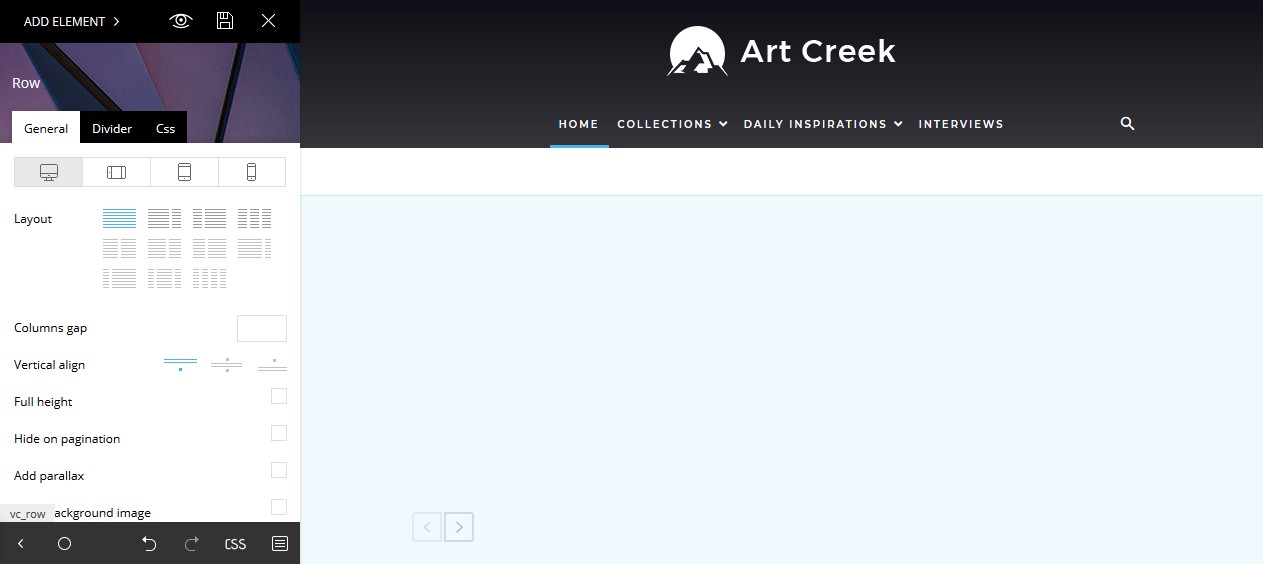
1. In the tagDiv Composer the top background image ist suddenly hidden: https://s15.directupload.net/images/181216/hs7v7t5i.jpg
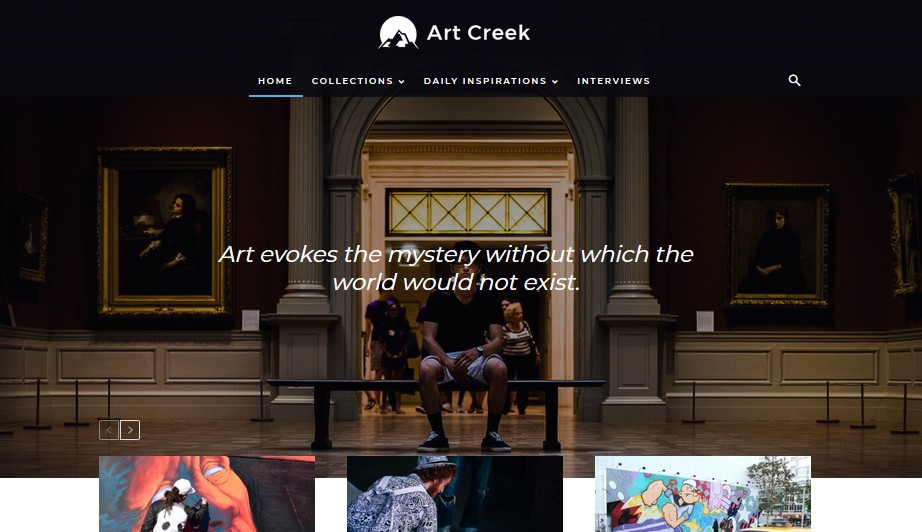
2. But the design looks normal on the page: https://s15.directupload.net/images/181216/3w5ncz6z.jpg
The page looks normal but in the tagDiv Composer the background ist white.
Tried to reinstall the demo, but it is still the same.
Take a look at this screen capture video I made, there you can see pretty well what I mean: https://www.youtube.com/watch?v=aRD0li0vCYM
-
This reply was modified 7 years by
radon.