- NewspapertagDiv Composer – Website Manager
- NewspaperWhen tagDiv Composer is Not Working
- NewspapertagDiv Composer Tutorial
- NewspaperScroll Animation
- NewspaperSingle External Shortcode and External Shortcode
- NewspaperCredit System
- NewspaperBookmark – Save For Later
- NewspaperFlex Block Builder and Flex Loop Builder
- NewspaperModules Builder in Newspaper Theme
- NewspaperIntroduction to CPT and ACF with Newspaper Theme
- NewspaperCreate a frontend submission form
- NewspaperHow to Use the Tabbed Content shortcode
- NewspaperCreate a form contact page
- NewspaperFilters and sorting for taxonomies
- NewspaperUser review system
- NewspaperCustom Fields Support
- NewspaperWooCommerce: Happy “Add to Favorites!”
- NewspaperWoo Brands
- NewspaperModal Popup
- NewspaperShortcodes
 tamsin_lechner
 Hi Bettina,
Thanks for your reply. I will follow the links for 1, 2 and 3 and let you know how I go.
But firstly, I still have a few of questions.
Re the cloud templates. I’m confused by how installing a new (and different) Single Post Template will affect my current post settings. There are only two mobile template options for Single Post Template. If I go with the blank mobile template I have to recreate the settings to match my desktop view? I would have thought this was done by default.
Re Mobile Theme and the Standard Pack suggestion. I already have this and it doesn’t stop the issue.
Re Mobile Theme and Mobile Editor. What exactly do you mean by “create the content with Mobile Editor”? How do I initiate Mobile content without Composer?
Thanks. Tamsin
 mcvanz
Hi there,
I see that with Newspaper Theme it is possible to create pages with your Div Composer tag, creating templates for mobile pages. Unfortunately I see that, despite creating them, I still see the mobile homepage by default.
where I’m I wrong? How can i set a different mobile page?
Thanks in advance
Roberto
 Anamaria
 Hello,
First of all, it is always advisable to say what prebuilt website you have installed, to be able to help you and give you the necessary information.
Also, we have documentation where you can find more information.
Almost all of the settings that you want to do need to use tagDiv Composer.
1. If you set the font from Theme Panel, will not apply because those settings are for standard elements, so you need to change the fonts using tagDiv Composer on each element (Single Post Content, flex block, etc) please check this article -> https://forum.tagdiv.com/font-customization/ and video -> https://www.youtube.com/watch?v=jQvA64uTLkI
2. Newspaper Theme only works with default WordPress comments and unfortunately, we don’t have a plugin tested for comments, and we can’t recommend a plugin to achieve this.
3. If you set once the code for ads in the Single Post Content, you do not have to set for each post, if you use a global Single Post Template, but if you have a different Single Post Template then, yes, you need to add the code, because is a new template. The ads will show on all posts that use that template.
4. You can customize the mobile menu from Theme Panel -> Theme Colors -> Mobile menu/mobile search => https://www.screencast.com/t/0CvSgXp9H to set a background image go in Theme Panel -> Background -> Mobile menu/mobile search => https://www.screencast.com/t/uvDejzbX to change the font from Theme Fonts => https://www.screencast.com/t/ANBQe7hQhJd Also, for mobile header color you need to select the viewport on phone, select the zone of mobile menu and from the tab “CSS” you can change the background color => https://www.screencast.com/t/uO47flEmmeP also, please check this article https://forum.tagdiv.com/add-logo-newspaper/
5. Please make sure you have disabled the auto-loading option https://forum.tagdiv.com/infinite-loading-single-posts/
Also, please check if the settings are saved, if the settings are not saved, then you will have to first start looking for a plugin conflict. please deactivate ALL plugins except tagDiv ones, also if you are using a child theme or cache plugin, deactivate them, clear all cache and try again.
Also, on our channel https://www.youtube.com/channel/UCOT1RiNysIPCTPSnVZskwtQ, you can find more videos that can help you and documentation https://forum.tagdiv.com/newspaper-theme-documentation/
Thank you!
 Bettina
 Hello Tamsin!
1. Here you can see step by step how you can import a new cloud template for your posts: https://forum.tagdiv.com/design-post-pages-using-cloud-library-templates/
2. Please add the text and the design (elements in the page) with the TagDiv Composer, not editing the page normally. Also, the shortcode can be inserted by using the element called “Column text”. For example, in the step3 here: https://forum.tagdiv.com/add-cryptocurrency-price-ticker-widget/
3. Yes, because our plugin Tagdiv Composer sees that the elements in the page weren’t made with it and it will ignore the content. The solution is at point 2.
1. The Post Settings in the Theme Panel will appear if you will install and activate the Standard Pack plugin from Newspaper -> Plugins.
2. If you use Mobile theme plugin, then you can not edit the pages with TagDiv Composer.
You have only some settings for this layout, which you can find in Theme panel -> Mobile Theme. Please note that if a page is made by Composer, than the content won’t be displayed on Mobile theme version. You should create the content with the Mobile Editor.
How I explained above the Mobile Theme has its own design for header and footer.
Thank you!
Anamaria Hello,
If you add them with tagDiv Composer, then you need to edit with tagDiv Compose, and set the style of the title block.
Also,if you add it using the element widget sidebar, then you need to set the style for Title from Theme Panel -> Theme Fonts -> Modules and Blocks General => https://www.screencast.com/t/S5dVYlsPj5vb
Thank you!
Anamaria Hello,
Our theme has only a few options for custom post types (you can check our guide from here -> https://forum.tagdiv.com/custom-post-type-support/
Also, you can’t use tagDiv Composer in custom post type.
Thank you!
Anamaria Hello,
I already replied to your own topic about the same problem, please check https://forum.tagdiv.com/topic/tagdiv-composer-banner-topo-2-links/#post-421309
Also, please do not create more topics with the same problem.
Please note that we try to answer as many topics as we can (support hours (GMT+2) are from Monday to Friday: 8:00 AM – 17:00 PM).
https://forum.tagdiv.com/newspaper-theme-support/
Thank you!
Anamaria Hello,
All the change that you need to do on the page is with the tagDiv Composer =>https://i.imgur.com/GZdVDqj.png
1 and 2 you need to change the image size and set the height and width to match as you want => https://i.imgur.com/5AfVCCk.jpg
3. You need to select the element and search after color https://i.imgur.com/MExPW5d.png -> https://i.imgur.com/iyDWkVd.png -> https://i.imgur.com/bUFDLOq.png
4. You need to do the same steps like for point 3 -> https://i.imgur.com/0vSauSt.png
Thank you!
 shafiun
hi,
Custom font is not working after I moved my site to new directory and updated my site from 11.2 to 11.3.1.
don’t know which causing this error. i tried to undo both.
- I tried to return on 11.2, not working.
- I removed TagDiv composer and reinstalled, not working
- old location of site also not working after update
- LSCache was installed, I removed that also, not working
Here is my new site: https://pujibazar.com/

Here is my old location: https://pujibazar.com/site
Now what to do?
tamsin_lechner Good morning,
I have encountered a few issues with Newspaper mobile view (both responsive version and theme plugin), and would really appreciate your help.
———-
WP 5.8.1
PHP 7.4.24
Newspaper 11.2
tagDiv Plug-ins – Composer, Cloud Library, Social Counter, Standard Pack (have also activated/deactivated Mobile theme + Official AMP for WP)
——–
My website is “coming soon” until I resolve my mobile settings, so I am sharing screenshots using your recommendation above.
FYI I have already utilised the Let’s Go Mobile tutorial (very helpful) and Theme documentation and spent a lot of time troubleshooting.
My preferred option is to use mobile templates and tagDiv composer, mostly as I have content on my homepage that I want to retain in mobile view. I have created mobile templates for the home page, header and footer only (at this stage).
When testing the responsive version live on mobile I have the following issues:
1. My posts are displayed in a default format (feature image, text then sidebar, plus wrong header and footer). In my cloud templates list I do not have any Single Post Template listed to customise as a mobile template.
Have I mistakenly deleted “Single Post Template – Default PRO” and if so how do I get it back? When searching in New Cloud Templates it is not listed and other templates would be inconsistent with my site.
2. My pages (via menu) are displayed in a similar default format. When I try to create mobile templates for these pages using Composer (checking copy content option) most of my pages are not picking up all the content. Specifically, pages that have shortcodes (eg. Contact Form 7). For example –
In the mobile template page I get an empty column (where the page title, text and/or image should display) and stretched out shortcode content. If I save it anyway and try to open it again it appears as blank.
3. One critical page on my site appears blank (header and footer only) when live on mobile. It is a Business Directory which is otherwise responsive to the theme.
Like Issue 2 above, when I create a mobile template for this page the content is copied and partially displays but after saving it disappears.
The alternative option – trying tagDiv Mobile Theme + Official AMP for WP, and testing it live, has not resolved the critical issues. NB: I switched my “homepage – mobile” to draft while using Mobile Theme.
When testing the mobile theme version live on mobile I still have these issues:
1. Posts are now ok but the “Post Settings” options (as shown in your Theme Documentation) do not appear in my Mobile Theme Plugin settings.
2. All of the pages (including Business Directory) are now completely blank (mobile theme header and footer only). FYI I have opened each page in WP Editor and ensured they are enabled for mobile theme in the tool bar and updated. This did not resolve the issue.
Please let me know your suggestions for resolution asap 🙂
Thank you, Tamsin
 willkar
Hey,
I want to know if it is possible to have the tagdiv composer working on a custom post type that I’ve just created.
 david.diczhazy
Hello,
I am using Tagdiv composer for homepage. Is there ane possibility how can I display also posts from other webpage? It is relatively common feature in wordpress…
thank you
Anamaria Hello,
To remove the ad box, please edit with tagDiv Composer, select the view port on phone and select element and delete it with right-click.
Please check this topic where I explained each mobile version -> https://forum.tagdiv.com/topic/mobile-version-not-working-properly-2/ and choose what mobile version you want.
Thank you!
 Djidjopub
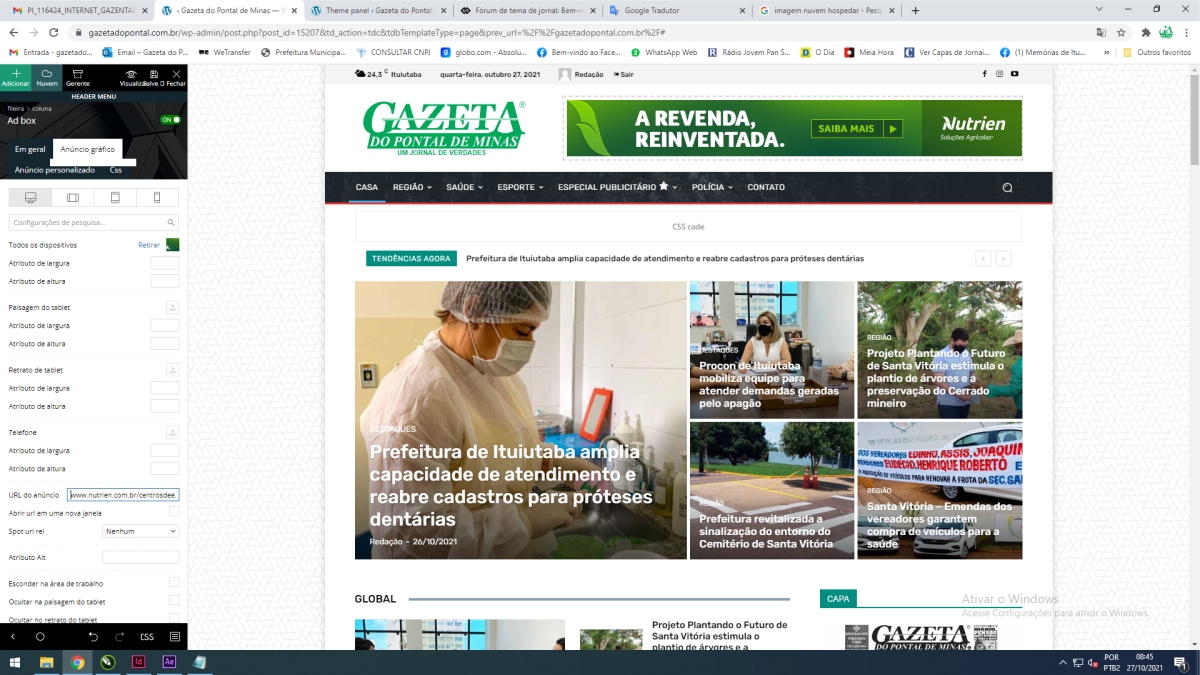
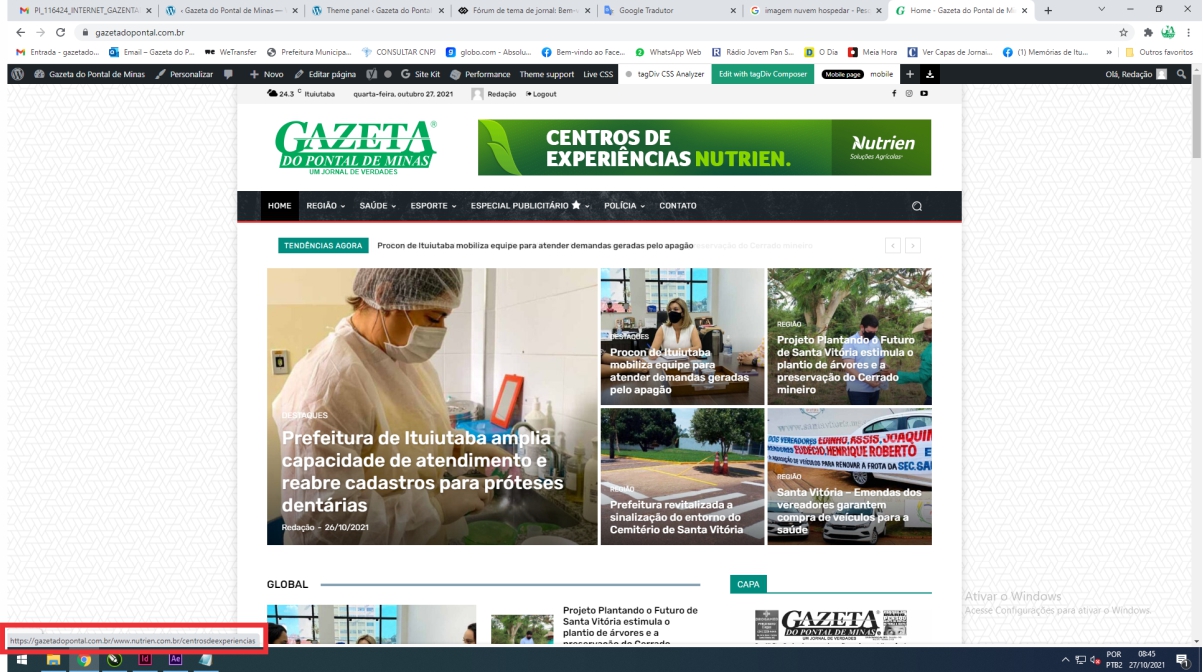
tagDiv Composer! > When I insert a link, it continues the website link plus the other link. Footer advert with 2 links
https://gazetadopontal.com.br/wp-content/uploads/2021/10/0001.jpg
https://gazetadopontal.com.br/wp-content/uploads/2021/10/0002-1.jpg
tagDiv Composer quando coloco o anúncio e link aparece a do meu site e depois a do cliente. Como resolver? Deixando apenas a do cliente?
Anamaria Hello,
Please edit with tagDiv Composer, select the Header Menu Sticky zone, and set the sticky type to “Always” => https://i.imgur.com/wzzBZu6.jpg
Also, you can check this article https://forum.tagdiv.com/header-manager/
Thank you!
DjidjopubtagDiv Composer! > When I insert a link, it continues the website link plus the other link. Footer advert with 2 links
https://gazetadopontal.com.br/wp-content/uploads/2021/10/0001.jpg
https://gazetadopontal.com.br/wp-content/uploads/2021/10/0002-1.jpg
 rahulroushan
 I am facing the same issue and I’ve no luck. Emails to contact@tagdiv.com are pending too. Could you let me know which plugins you enabled network wide? Currently everything is working fine for me on desktop, but I get this error on mobile devices with mobile plugin on (pasting it here to ask if you were getting similar error):
Critical error:
require_once(/var/www/html/site/public_html/wp-content/themes/themes/Newspaper/tagdiv-deploy-mode.php): Failed to open stream: No such file or directory in on line 11 /var/www/html/site/public_html/wp-content/plugins/td-composer/mobile/functions.php
Fatal error
: Uncaught Error: Failed opening required ‘/var/www/html/site/public_html/wp-content/themes/themes/Newspaper/tagdiv-deploy-mode.php’ (include_path=’.:/usr/share/php’) in /var/www/html/site/public_html/wp-content/plugins/td-composer/mobile/functions.php:11
Stack trace:
#0 /var/www/html/site/public_html/wp-settings.php(546): include()
#1 /var/www/html/site/public_html/wp-config.php(110): require_once(‘/var/www/html/s…’)
#2 /var/www/html/site/public_html/wp-load.php(50): require_once(‘/var/www/html/s…’)
#3 /var/www/html/site/public_html/wp-blog-header.php(13): require_once(‘/var/www/html/s…’)
#4 /var/www/html/site/public_html/index.php(6): require(‘/var/www/html/s…’)
#5 {main}
thrown in /var/www/html/site/public_html/wp-content/plugins/td-composer/mobile/functions.php on line 11
 mattemkadia
 Here are the three warnings which are being logged with trying to edit a page (load the composer).
Notice: jQuery.fn.load() is deprecated
Theme: Newspaper
Location: /wp-content/themes/newspaper/js/tagdiv_theme.min.js
Notice: jQuery.fn.load() is deprecated
Plugin: tagDiv Composer
Location: /wp-content/plugins/td-composer/assets/js/js_files_for_wp_admin.min.js
Notice: jQuery.fn.load() is deprecated
Plugin: tagDiv Composer
Location: /wp-content/plugins/td-composer/assets/js/js_files_for_wrapper.min.js
Bettina Hello!
Please make sure you have the latest version of the PHP, WordPress, theme and plugins(11.3.1).
Delete and re-install the TagDiv Composer plugin.
Please make sure you have all the requirements as you can see here: https://forum.tagdiv.com/requirements-for-newspaper/
Check this article: https://kinsta.com/knowledgebase/there-has-been-a-critical-error-on-your-website/
Thank you!
Bettina Hello!
If you will use a cloud/PRO template, then you will have this possibility: https://www.screencast.com/t/MzgpyxTAuH.
We recommend to use cloud/PRO templates in order to have the possibility to edit them with the TagDiv Composer which contains a lot of functions and features, please check our tutorial here: https://forum.tagdiv.com/tagdiv-composer-tutorial/
Documentation here:
– https://forum.tagdiv.com/cloud-library-templates/
– https://forum.tagdiv.com/design-post-pages-using-cloud-library-templates/
– https://forum.tagdiv.com/cloud-library-category-templates/
Check also our video tutorials here: https://www.youtube.com/c/tagdivThemes/videos
Thank you!
Anamaria Hello,
The footer template does not have the button to be edited with tagDiv Composer in the backend. Please check this guide:https://forum.tagdiv.com/footer-templates/
If you have a Pro Prebuilt Website you can edit with tagDiv Composer the footer template can be edited only from the frontend if it is assigned, edit a page/post template with tagDiv Composer and go down to the footer. => https://www.screencast.com/t/rpfNhfyrF
Thank you!
Anamaria Hello,
Please make sure you use Cloud Templates from tagDiv Cloud Library to be able to edit them with tagDiv Composer.
If the toolbar looks like this => https://i.imgur.com/84dERi2.png, then you need to import Cloud Templates.
Also, on our channel https://www.youtube.com/channel/UCOT1RiNysIPCTPSnVZskwtQ, you can find more videos that can help you and documentation https://forum.tagdiv.com/newspaper-theme-documentation/ and you can ask us here on the forum if you have any questions.
Thank you!
Anamaria Hello,
You can use Gutenberg editor to create posts. I recommend you to shift from WPBakery to tagDiv Composer because WPBakery is an old builder plugin => https://i.imgur.com/O4CA0y0.png -> https://i.imgur.com/bFnzNtQ.png -> https://i.imgur.com/mv8AhFU.png -> https://i.imgur.com/IMyLYiY.png
Also, on our channel https://www.youtube.com/channel/UCOT1RiNysIPCTPSnVZskwtQ, you can find more videos that can help you and documentation https://forum.tagdiv.com/newspaper-theme-documentation/ and you can ask us here on the forum if you have any questions.
Thank you!
Bettina Hello!
So, there are 2 different elements there.
Let me explain you:
– the content locker is an element which is displayed instead of an article content when you choose to lock that content: https://www.screencast.com/t/iNnI7Jnyk
– the leads element can be added on any page or template using TagDiv Composer and it’s used to gather emails from visitors in a list.
Both elements are different and the settings also. If you will set up a style for the content locker it will never apply to the leads element. You have to do that separately.
Hope that is more understandable now!
Thank you!
Anamaria Hello,
Unfortunately, the AMP pages can’t be customized with tagDiv Composer. You can customize it only from Theme Panel.
Thank you!