- NewspapertagDiv Composer – Website Manager
- NewspaperWhen tagDiv Composer is Not Working
- NewspapertagDiv Composer Tutorial
- NewspaperScroll Animation
- NewspaperSingle External Shortcode and External Shortcode
- NewspaperCredit System
- NewspaperBookmark – Save For Later
- NewspaperFlex Block Builder and Flex Loop Builder
- NewspaperModules Builder in Newspaper Theme
- NewspaperIntroduction to CPT and ACF with Newspaper Theme
- NewspaperCreate a frontend submission form
- NewspaperHow to Use the Tabbed Content shortcode
- NewspaperCreate a form contact page
- NewspaperFilters and sorting for taxonomies
- NewspaperUser review system
- NewspaperCustom Fields Support
- NewspaperWooCommerce: Happy “Add to Favorites!”
- NewspaperWoo Brands
- NewspaperModal Popup
- NewspaperShortcodes
 Bettina
 Hello!
If you want to hide an element from the TagDiv Composer, then you can, but you can not choose to hide it for a specific user only.
Thank you!
 Anamaria Bettina
 Hello!
I think I helped you a lot to fix the majority of your issues. Still, do not understand what is the next issue now or if there are any issues.
We have a lot of guides about TagDiv Composer, so please check them too:
– https://forum.tagdiv.com/tagdiv-composer-not-working/
– https://forum.tagdiv.com/tagdiv-composer-tutorial/
– https://forum.tagdiv.com/requirements-for-newspaper/
– https://forum.tagdiv.com/newspaper-how-to-update-a-plugin/
Thank you!
 R7
R7 I could provide a screenshot but it is easier to just say that the green tagDiv Composer edit button that should be there is not there to open the editor. One example is on my “.net/forums” page.. the green editor button is not there at all. So I am wondering if something is wrong..
Anamaria Hello Neil,
So, if you activated the option to make the website boxed, then edit with tagDiv Composer, select the row on the header and footer and set the option for “Row stretch” on Default => https://www.screencast.com/t/I7lDMXJjiwZ -> https://www.screencast.com/t/O8cc7n4ZzIc
Hope this helps you!
Thank you!
Bettina Hello!
I recommend you to use mobile pages in order to have different pages on mobile version. Please do not forget to assign them in order to display on mobile devices. Build them with TagDiv Composer and you can customize your header with the help of our elements/shortcodes. It could help you the element called “Mobile menu”. This element can be used also in a responsive version: A responsive version of your website is looking similar like on desktop, edit the page with TagDiv Composer, click on the mobile viewport: https://www.screencast.com/t/XDQJedlggSB ; there you can see your mobile version and you can edit the elements there.
A full explanation of the mobile versions you can find here: https://www.youtube.com/watch?v=SpGkOnJeNZY
Thank you!
Bettina Hello Ilona!
Please provide more information about your issue(what exactly did you insert in Composer), screenshots or videos in order to help you efficiently.
A solution for sending a screenshot is this:
Download, capture, send: https://www.techsmith.com/jing-tool.html
After making the screenshot, you will have a link, paste it here.
Thank you!
Bettina Hello!
Let me explain you which options of mobile versions are:
1. Responsive version: A responsive version of your website is looking similar like on desktop, edit the page with TagDiv Composer, click on the mobile viewport: https://www.screencast.com/t/XDQJedlggSB ; there you can see your mobile version and you can edit the elements there.
2. Mobile pages: https://tagdiv.com/newspaper-10-3-7-update-brings-customizable-and-fast-mobile-pages/
3. Mobile theme plugin: The Mobile Theme is a performance optimized theme included in the Newspaper main theme and it loads only for mobile devices. It comes with its own templates for page, post, category, etc so your current templates from the desktop theme will get converted to the mobile theme layout. For more details, please take a look here: https://forum.tagdiv.com/the-mobile-theme/ https://forum.tagdiv.com/the-mobile-theme/
A full explanation you can find here: https://www.youtube.com/watch?v=SpGkOnJeNZY
Now, you can use which one is more suitable for your needs.
For the page speed, I can recommend you some solutions in order to increase the score.
Our developers are working a lot to improve the page speed in every update.
So, please make sure you use the latest update of the theme and plugins(11.2) because it may help you for your page speed. First of all, please make sure you have a backup done and then you can update the theme and the TagDiv plugins also.
I recommend you to make a backup and update plugins and the theme via file transfer, so that you don’t face any error: https://forum.tagdiv.com/how-to-update-the-theme-2/
Also, to increase the page speed you can check these similar topics for more solutions:
– https://www.infophilic.com/get-almost-100-pagespeed-newspaper-theme/
– https://forum.tagdiv.com/topic/score-100100-pagespeed-with-newspaper-wordpress-theme/
– https://developers.google.com/speed/docs/insights/v5/about
– https://www.youtube.com/watch?v=tnkVapqhIHc
Please note that page speed is not covered by the support team: https://forum.tagdiv.com/newspaper-theme-support/
Thank you!
Anamaria Hello,
Live search is making a live request to the database, after two seconds when the button is up.
If you use a cloud header, then you can edit it with tagDiv Composer and you can use the “search form” that can be edited -> https://i.imgur.com/1FIceUz.jpg -> https://i.imgur.com/n6837rt.jpg -> https://i.imgur.com/gHitHOI.jpg instead of search live.
Also, please try the steps from this topic -> https://forum.tagdiv.com/topic/a-few-tips-for-newspaper-x-speed-high-cpu-usage-issues/
Hope this helps you!
Thank you!
Bettina Hello!
Please make sure you have the latest version of the PHP, WordPress, theme and plugins(11.2). Delete and re-install the TagDiv Composer plugin.
Please check if this code is missing from your htaccess file: https://www.screencast.com/t/iN0R93dD3p from our requirements, make sure you have all the requirements as you can see here: https://forum.tagdiv.com/requirements-for-newspaper/
Let me know the results!
Thank you!
Bettina Hello!
It seems that you have the Mobile theme plugin installed and active.
Let me explain you which options of mobile versions are:
1. Responsive version: A responsive version of your website is looking similar like on desktop, edit the page with TagDiv Composer, click on the mobile viewport: https://www.screencast.com/t/XDQJedlggSB ; there you can see your mobile version and you can edit the elements there.
2. Mobile pages: https://tagdiv.com/newspaper-10-3-7-update-brings-customizable-and-fast-mobile-pages/
3. Mobile theme plugin: The Mobile Theme is a performance optimized theme included in the Newspaper main theme and it loads only for mobile devices. It comes with its own templates for page, post, category, etc so your current templates from the desktop theme will get converted to the mobile theme layout. For more details, please take a look here: https://forum.tagdiv.com/the-mobile-theme/ https://forum.tagdiv.com/the-mobile-theme/
A full explanation you can find here: https://www.youtube.com/watch?v=SpGkOnJeNZY
Now, you can use which one is more suitable for your needs.
If you need a responsive version, then please deactivate the Mobile theme plugin and see the results!
Thank you!
 garimanag
Hi Team,
I have been facing constant issues with the Tagdiv composer. It has been causing trouble on various occasions and after every single update. This time it is THEME ITSELF.
I can’t access any post, published or draft and others through my admin account. But when I active another theme it goes back to normal. Could you fix this issue once and for all? We never paid for these troubles!!
 Sprint News
Hi
we get problem bewteen Yoast and tagDiv Composer plugins.
Activating tagDiv Composer plugin the Yoast panel where set all the seo setup disapper.
Tried to downgrade to Yoast 15 but the problem still there.
Deactivating tagDiv Composer plugin Yoast panell works.
We get serious problem also with duplicate description
Did you have a solution? Without unistall Yoast SEO?
Thanks
 Rigsbyx
Hello,
I have experienced so many issues with your theme that I am coming to the end of the road. There are far too many issues to list here, but the latest one forced me to completely reinstall your theme and start all over again. One month after purchasing and spending my entire life every day on the project, I am now back to square one, and I am not happy.
I didn’t wish to use a backup in case it brought along with it any errors.
Okay so, please explain to me why tagDiv Composer crashes my website. I have disabled all plugins and also made a video showing the exit process, and it is definitely your plugin.
This obviously isn’t happening (yet!) with the fresh install, but maybe I can return to the other installation (still saved in a subdomain) if you can help.
Thank you
R7I don’t understand why the tagDiv Composer is not showing on pages for some reason..
I need to edit these pages but it is not showing.
 birkasi
Hi tagDiv! When I want to change (in the tagDiv Composer) the address of an item on the main page, I get the following error message:
“Failed to update the entry in the database. Current state has involved an issue. You could try an UNDO operation (CTRL+Z / CTRL+SHIFT+Z)”
Can you help me what the problem is?
thank you,
Ilona
https://filmsor.hu/
 edwinlima
Hi,
I have an issue, I need to add shortcodes from plugins to the homepage that I have installed in WP that don’t belong to the tech predefined template. However, everytime that I make a change on the page using the tagdiv composer that shortcodes disappear and I need to add them manually using the page editor. Why is that and how to prevent that?
Regards,
Edwin Lima
 rajeshkumar
Hi
In a single post I am using the Default Site Post Template for some reason, can you guide me on how to stretch to full width for the default template?
I knew if we create a custom post template we can stretch in the tagDiv composer. but not sure how to do it in the default template, pls guide.
Thanks
 thelastpoet
 Thank you.
It is crucial since Google uses mobile to index articles. Having the mobile plugin without this feature is useless even if we enable it on Tagdiv Composer.
 Demir
DemirWhen I test and inspect my website with Chrome tools, the below CSS is one of the largest CSS files in the page and it is render blocking. So this file causes slow page speed score. Also 97.5% of this file seem unused CSS.
The file: /plugins/td-composer/legacy/Newspaper/assets/css/td_legacy_main.css
Is it safe to disable it for non-logged in users but load it just for admin? So that admin can design the website but visitors doesn’t need to load such a large file.
YES (disable it for visitors) or NO (keep it for both the admin and visitors)?
 zy331200
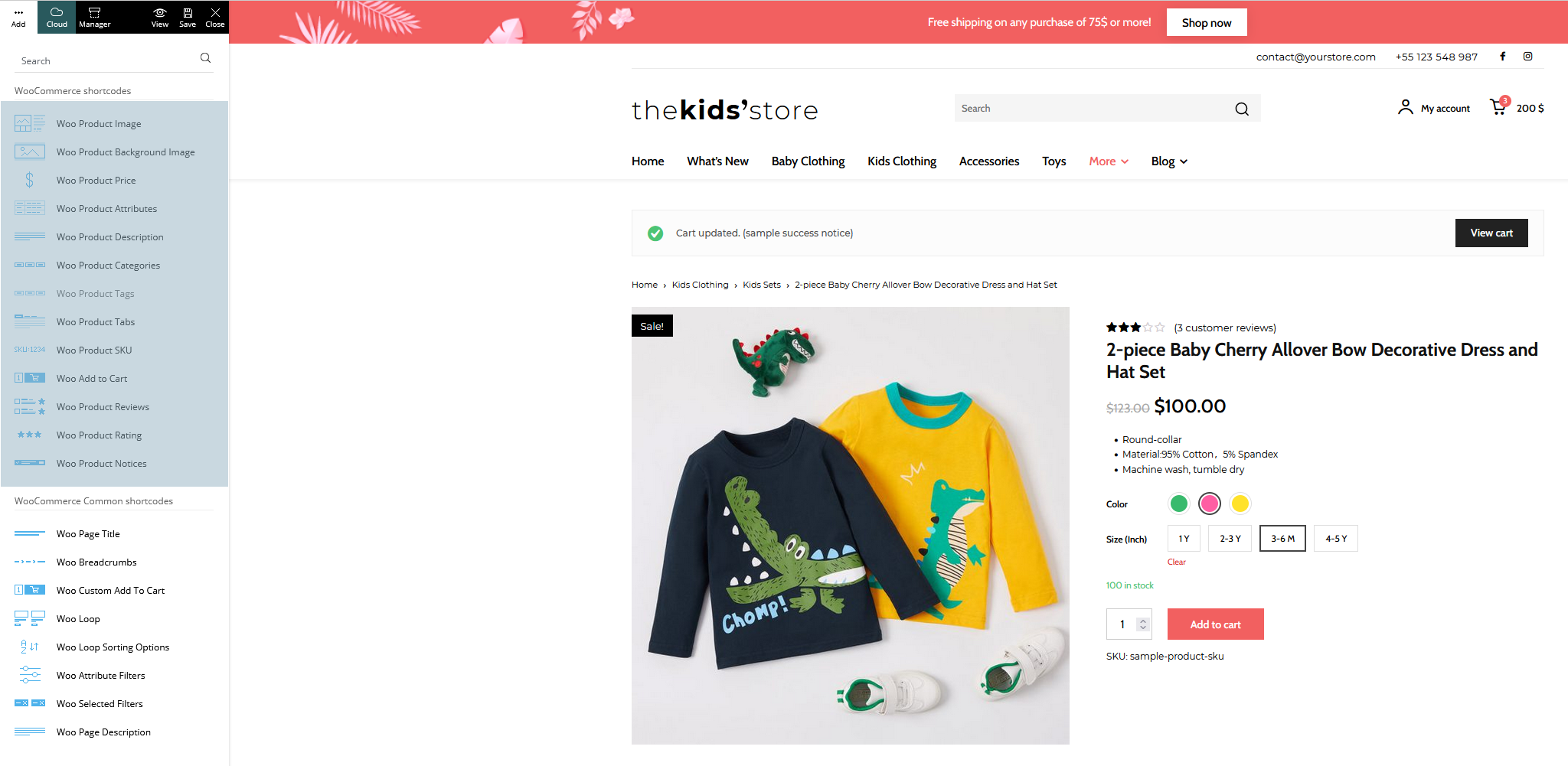
I am try to build an e-commerce website with newspaper theme, I am excited to know that V11.2 is able to support many woo commerce features after knowing from documentation. Anyway I am failed to do it when I creating a new page for my shop page, I can’t find “woo product category” block from my Tagdiv composer, which it is described in the documentation it should be available.
You can see from the image here what I have in my Tagdiv composer: https://imgur.com/a/6a20Bi2
And I am trying to install a shop template but I failed again, as it is not available in my cloud library: https://imgur.com/a/FuZ4o0i
And in the Tagdiv newspaper documentation here, it shows all blocks related to woocommerce: https://forum.tagdiv.com/wp-content/uploads/2021/09/woo-shortcodes.png
Can any one tell me what I was doing wrong?
Bettina Hello!
Let me explain you which options of mobile versions are:
1. Responsive version: A responsive version of your website is looking similar like on desktop, edit the page with TagDiv Composer, click on the mobile viewport: https://www.screencast.com/t/XDQJedlggSB ; there you can see your mobile version and you can edit the elements there.
2. Mobile pages: https://tagdiv.com/newspaper-10-3-7-update-brings-customizable-and-fast-mobile-pages/
3. Mobile theme plugin: The Mobile Theme is a performance optimized theme included in the Newspaper main theme and it loads only for mobile devices. It comes with its own templates for page, post, category, etc so your current templates from the desktop theme will get converted to the mobile theme layout. For more details, please take a look here: https://forum.tagdiv.com/the-mobile-theme/ https://forum.tagdiv.com/the-mobile-theme/
A full explanation you can find here: https://www.youtube.com/watch?v=SpGkOnJeNZY
Now, you can use which one is more suitable for your needs.
Please note that if a page is made by Composer, than the content won’t be displayed on Mobile theme version. Check the case here: https://forum.tagdiv.com/topic/amp-pages-not-shown/
If you use Mobile theme plugin, then you can not edit the pages with TagDiv Composer.
There are no settings to customize the pages.
You have only some settings for this layout, which you can find in Theme panel -> Mobile Theme.
AMP is faster and works better only with the Mobile Theme plugin. The design is looking pretty similar as our plugin. Please check our tutorial here: https://forum.tagdiv.com/tagdiv-amp-plugin-tutorial/
If you want only Mobile and not Mobile + AMP, please set it in the theme panel -> mobile theme -> mobile settings this option.
Hope that helps you!
Thank you!
Bettina Hello!
Please edit the homepage with TagDiv Composer and there you can edit the header. Scroll the page when you edit it with Composer, and you can edit the sticky header too. Check this video to understand where exactly you can find the sticky header and how you can modify it: https://www.screencast.com/t/vA8nj6T90x57
Please check the setting of that row in the CSS also to see exactly if you have any value there. It seems to be a negative margin there. Please check!
Thank you!
 alessandrogini1
Hi there,
I think there’s something wrong with the page builder for pages. When I go to “Pages > add new page > tagdiv composer” this is what I see: https://snipboard.io/XsmixM.jpg
The header and footer are overlapped and you can actually modify them like you were modifying the header/footer template. So if I mess up doing my page the changes are applied to all the website structure into the header or footer.
This is so weird ’cause I use newspaper on other WordPress installations running multiple websites and this neve happend. Normally tagDiv composer works just smooth and fine saving me a lot of time, but in this case I’m wasting a lot of time trying to figure out what’s wrong.
Can you please help me?
Thanks
Bettina Hello Mark!
I just say that the theme is coming by default as I mentioned because I tested on a fresh install of the theme and this is working well. We will investigate more and try to guess why in your case it is different. Please note that we can not “adjust it” in 2 minutes and everybody will have the fix, but maybe others do not have the issue as you. These cases could have a lot of possible trouble why those are black or white.
One more thing, a lot of clients do not use those default styles anymore because they prefer and we recommend the cloud templates to have the possibility to customize them with the TagDiv Composer.
Thank you for understanding!