We’ve introduced a valuable new enhancement to the Opt-In Builder: Locker URL tracking for subscriptions. This feature gives you deeper insight into where your users are subscribing from, helping you better understand content performance and user behavior.
What Is the Locker URL Source?
The Locker URL Source records the exact page (URL) where a user accessed a content locker and completed a subscription.
For example, if a reader lands on a locked article and subscribes through the locker, the system will now store the URL of that article alongside the subscription details.
How It Works
When a user:
- Visits a locked article or page
- Interacts with the content locker
- Completes a subscription (free or paid)
The system automatically captures the source URL of that locker and attaches it to the subscription record.
Where to Find It
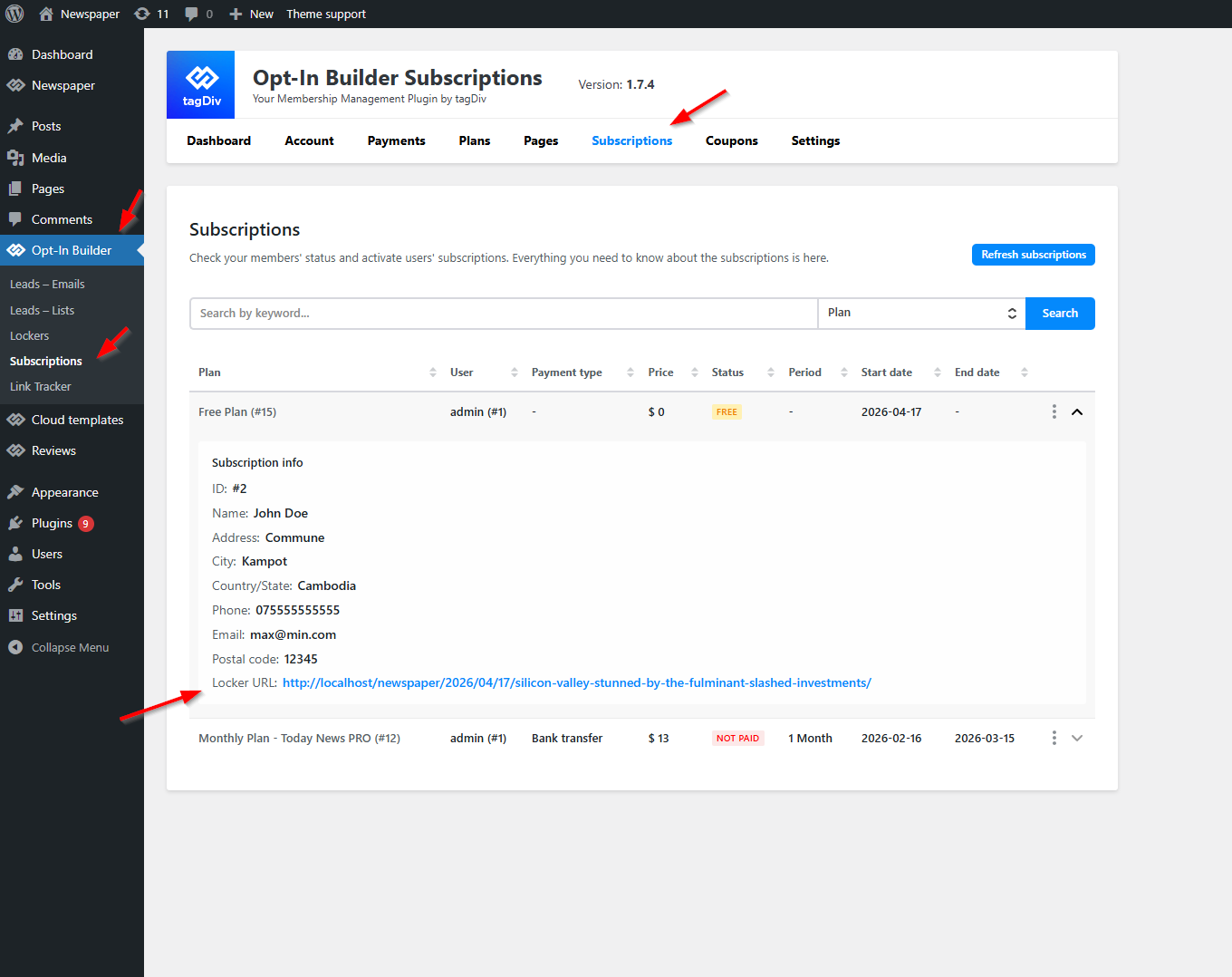
You can view this data directly in your dashboard:
- Go to Opt-In Builder → Subscriptions
- Open any subscription entry
- Look for the new field: Locker URL
This field displays the exact page where the subscription was initiated.